

If you've spent any real time shopping for a standing desk converter, you already know the annoying part isn't buying one. It's getting it set up so it actually helps instead of turning into a $160 shelf that holds your monitor at the wrong height forever and gets ignored by week two. I've installed and adjusted three different standing desk converters over the past six years, including the VIVO 42 inch Desk Converter, K Series, I'll walk you through today, and the difference between the person who bought a standing desk converter and the person who actually stands and works better comes down to about twenty minutes of setup that most people skip entirely and then wonder why the thing never gets used.
At Best Home Office Setup Hub, we test this stuff the way you'd actually use it, on a real desk, for weeks at a time, not for a five minute unboxing video shot the day the box arrives. This guide walks through the five steps that turn a standing desk converter from a novelty into a tool you use every single day: measuring your desk and clearing the deck, dialing in your sitting height, dialing in your standing height, positioning your monitor and keyboard tray so your wrists and neck stay happy, and building a rotation schedule you'll actually keep past the first two weeks. Do these in order and a standing desk converter like the VIVO K Series earns its keep well before the end of the first month.
Skip the trial-and-error version of this guide
The VIVO 42 inch Desk Converter, K Series, is the model I'm using in every step below. Dual-tier deck, gas-spring lift, and a height range wide enough for most desks between 28 and 30 inches tall.
Amazon Check Today's Price on Amazon →Step 1: Measure Your Desk and Clear the Deck
Before you unbox anything, measure your desk's depth front to back, not just the width. Most standing desk converters need at least 22 to 24 inches of depth to sit flat without hanging off the edge, and if your desk is shallower than that, the converter's back edge will overhang and rock every time you lean on it while typing. Measure twice here, and measure the shallowest point if your desk isn't a perfect rectangle. I skipped this step the first time I set up a desk converter and spent an afternoon returning it for a smaller model.
Next, check your desk's weight rating and surface material. A loaded standing desk converter with dual monitors, a keyboard, and a laptop can weigh 25 to 35 pounds once you add your own gear on top of the unit itself, and that weight sits on a smaller footprint than you'd expect. Cheap particleboard desks with wobbly legs are a bad match, not because the converter is unstable on its own, but because the desk underneath it flexes every time you push up to standing height, and that flex transfers straight into your monitor.
Finally, clear the entire desk surface before you set the converter down. It sounds obvious, but I've watched people try to slide a 25 pound desk converter into place around a monitor, a lamp, and a coffee cup, and that's how you end up with a scratch down the middle of your desk or a spilled drink on your keyboard. Clear it completely, set the converter flat and centered, then rebuild your setup on top of it from scratch.
Step 2: Dial In Your Sitting Height First
This is the step almost everyone gets backward. They stand the converter up to full height first because that's the exciting part, then they never bother going back to fix the seated position, since sitting still feels close enough to what they had before. Set your sitting height first, while your keyboard tray or lower deck is at a level where your elbows sit at roughly a 90 degree angle and your forearms are parallel to the floor. On the VIVO K Series, that's usually somewhere in the lower third of its height range if your chair seat is a standard 17 to 19 inches off the floor.
With the deck at seated height, sit down and look straight ahead at your monitor. The top third of the screen should be at or just below eye level, not tilted up so you're craning your neck to read the top of the page. If you're using a laptop instead of an external monitor, this is where a lot of people compromise their neck for the sake of screen height, which is a separate problem a laptop stand or a monitor arm solves better than the converter alone ever will.
Mark this height somehow so you don't have to re-guess it every time you sit down. Some standing desk converters have a locking pin or a printed height indicator on the column; if yours doesn't, a strip of painter's tape works fine and takes ten seconds. You want to return to your exact sitting position without fiddling, because a converter you have to fight with is a converter that stops getting adjusted.
Step 3: Dial In Your Standing Height and Elbow Angle
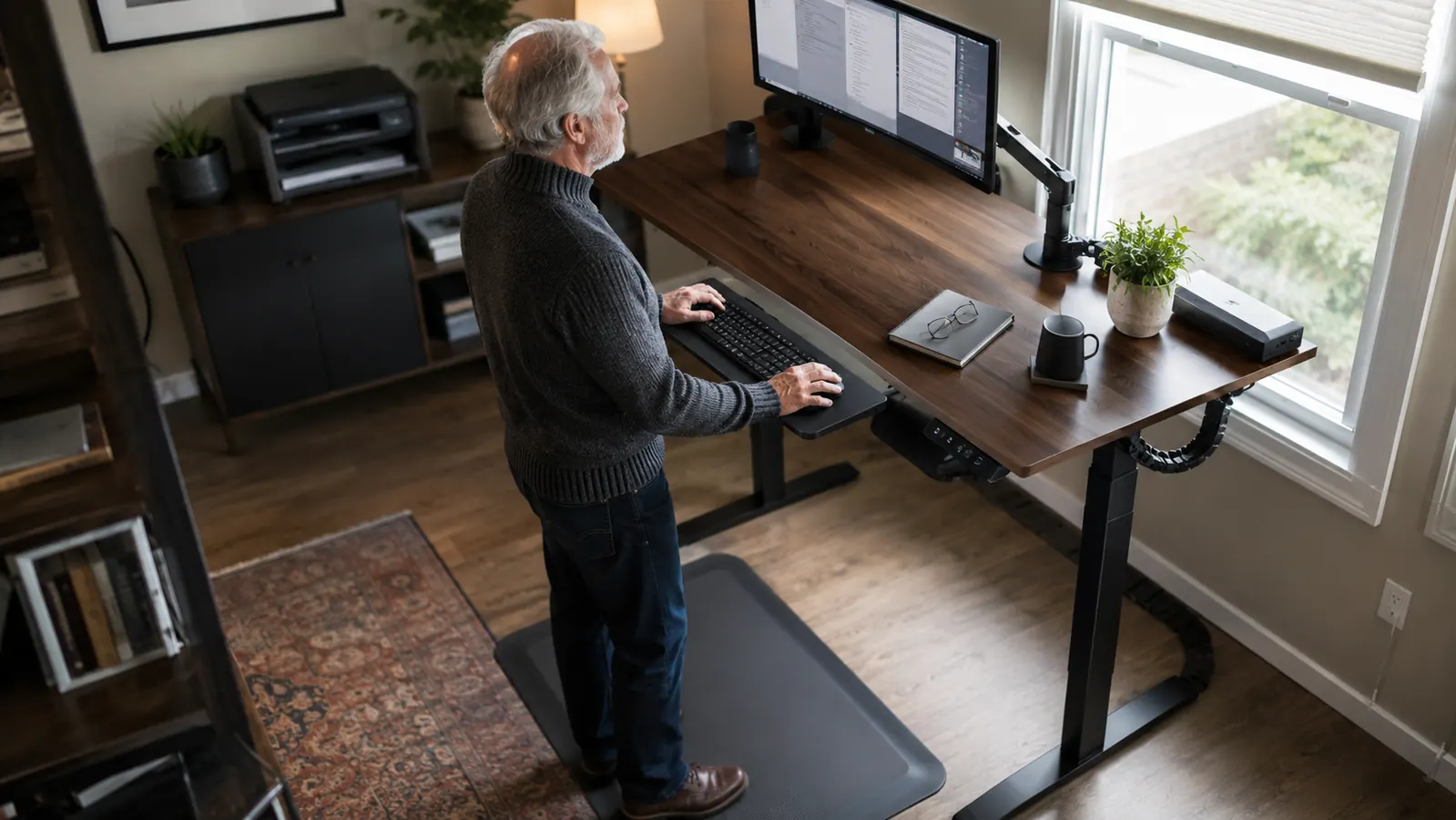
Now raise the converter to standing height using the same 90 degree elbow rule. Stand naturally, let your arms hang at your sides, then bend your elbows to where your hands rest comfortably on the keyboard tray. If you find yourself hunching your shoulders up toward your ears to reach the keyboard, the deck is set too high. If your wrists bend upward to type instead of staying flat, it's set too low, and either one will show up as soreness by the end of the week.
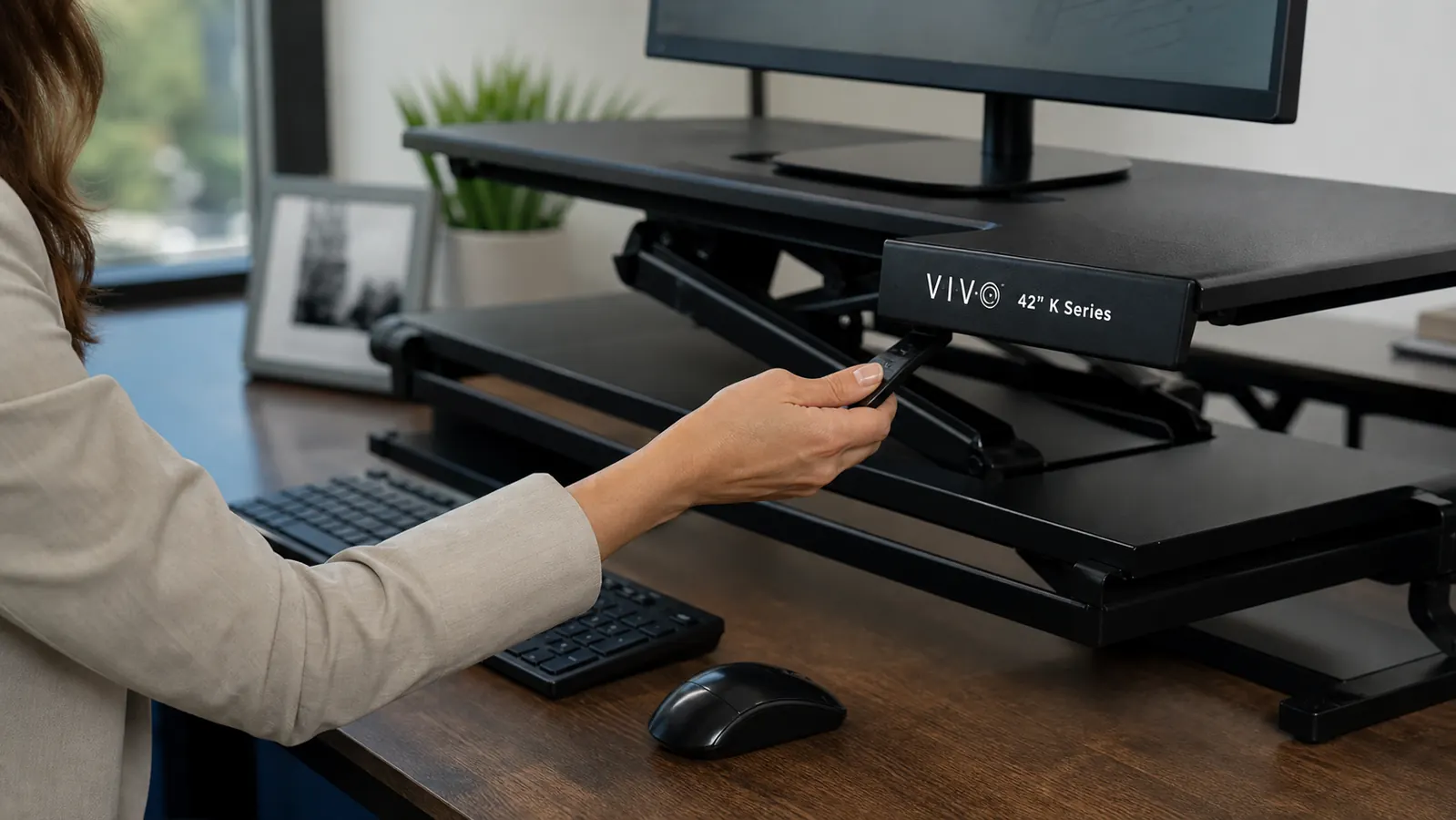
The VIVO K Series uses a gas-spring assist, so transitions between sitting and standing height take about two seconds once you release the lever, no crank handle to turn, no motor whining for ten seconds while you wait. That matters more than it sounds like it should, because a converter that's annoying to adjust just doesn't get adjusted, and you end up stuck in one position all day, which defeats the entire point of owning a standing desk converter in the first place.
Check your monitor height again once you're standing. Because the upper deck moves as one unit on most standing desk converters, your screen height relative to your eyes should barely change between sitting and standing, which is the whole advantage over a fixed-height desk with a separate monitor stand. If your screen suddenly feels too low when you stand, your monitor is mounted too far down on the upper tier and needs to move up before you go any further with the rest of the setup.
Step 4: Position Your Monitor and Keyboard Tray
On a two-tier standing desk converter, the upper deck is for your monitor or monitors, and the lower deck is for your keyboard and mouse. Keep it that way even if it feels less stable at first. I've seen people put the keyboard on the upper deck because it feels sturdier, but that pushes the keyboard higher than the recommended elbow height and creates the exact wrist strain you bought the converter to avoid in the first place.
If you run dual monitors, center them on the upper deck with a small gap between screens rather than pushing one off to the side and leaving the other centered. Angle both screens slightly inward so you're not twisting your neck to read the far edge of either one during a long stretch of work. A monitor arm clamped to the converter's upper deck, rather than resting the monitor directly on its included stand, frees up several inches of depth and makes it much easier to keep the whole rig balanced.
For the keyboard tray, leave enough room in front of it to rest your wrists in a neutral position, not bent up or down while you type. A slim gel wrist rest helps here, especially in the first few weeks while your arms adjust to a new typing height that's different from what you had before. Your mouse should sit at the same height and roughly the same distance from your body as your keyboard, not reached across at an awkward angle.
Step 5: Build a Sit Stand Rotation You'll Actually Keep
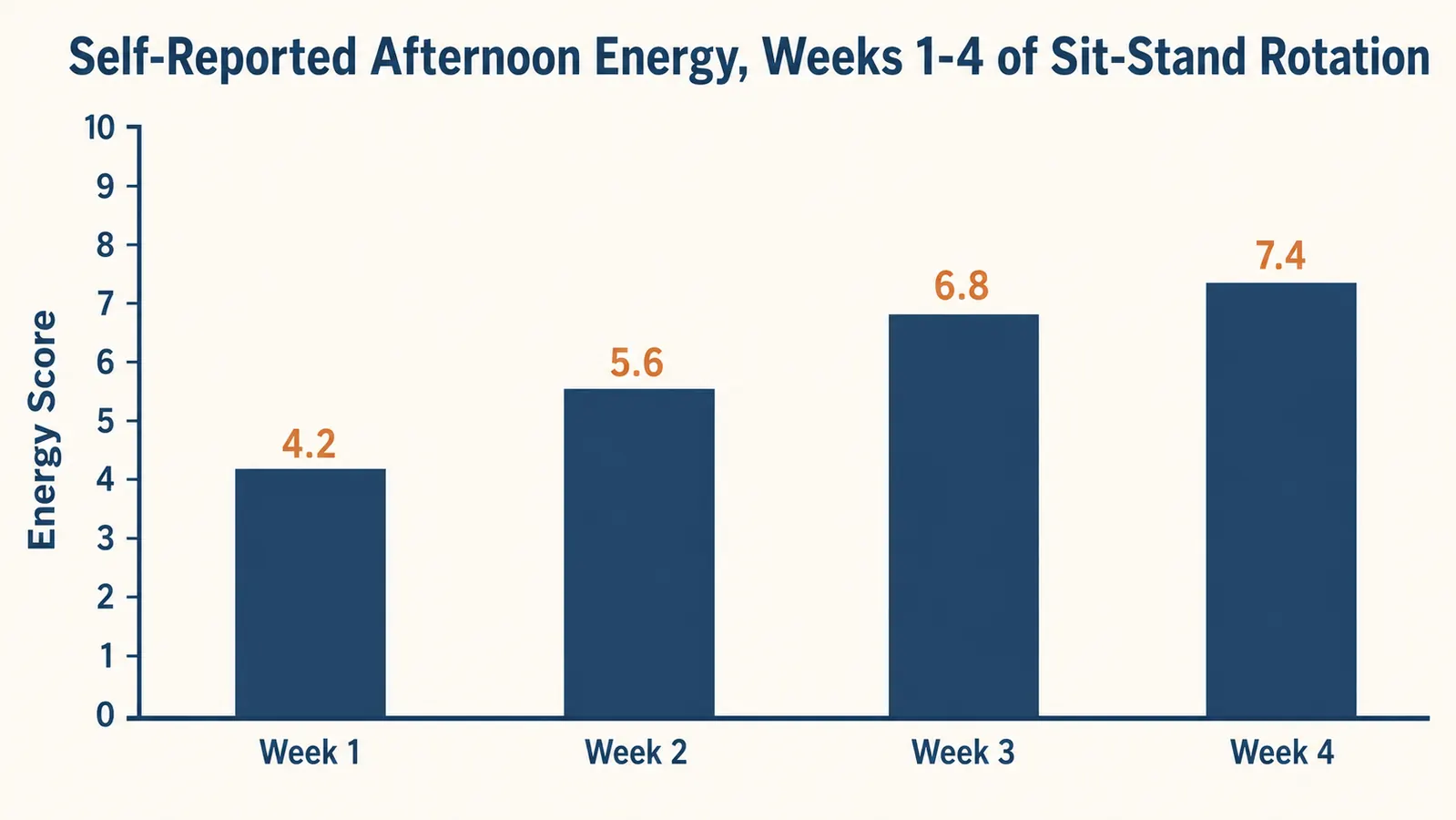
A standing desk converter doesn't help if you stand at it for six hours straight on day one just because it's new and exciting. Standing all day is just a different kind of hard on your body, sore feet and a tight lower back instead of a stiff neck from sitting. Start with a 30 minutes standing, 30 minutes sitting rotation, and treat the first week as a break-in period. Your calves and feet need time to adjust, the same way a new pair of shoes does before they stop feeling stiff.
Set a timer. I use a plain kitchen timer because phone reminders get swiped away without a second thought, but a Pomodoro-style app works just as well if that's more your speed. The goal isn't a rigid 50/50 split forever, it's building the habit of switching before your body tells you to. Most people who quit on a standing desk converter within the first month quit because they forced full days standing and got sore, not because the converter itself failed them.
By week three or four, you'll have a rhythm that fits your actual workday, more standing during calls and reading, more sitting during long typing stretches or heads-down focus work. That's normal, and it's the sustainable version of using a standing desk converter, not a strict schedule you have to white-knuckle through every afternoon.
What Else Helps
A few cheap additions make a standing desk converter noticeably more comfortable to live with long term. An anti-fatigue mat under your feet takes real pressure off your joints during standing stretches, especially on hard flooring like tile or laminate. A separate monitor arm, rather than resting your screen directly on the converter's upper deck, gives you finer height and tilt control and frees up desk space you didn't know you were missing.
And if your sitting posture is still the weak link in your setup, pairing a standing desk converter with an ergonomic chair, adjusted correctly for lumbar support, closes the gap the converter alone can't fix on its own. Standing helps for the hours you're up, but you'll still spend part of every day seated, and a chair that doesn't support your lower back will undo a lot of what the converter is doing for you. We cover both of those in more detail in our other guides on this site.
The converter isn't the fix. The habit of actually switching positions is the fix. The converter just makes the habit possible.
Ready to set one up on your own desk
The VIVO 42 inch Desk Converter, K Series, is the model used throughout this guide, dual-tier, gas-spring assist, and a height range that covers most standard desks.
Amazon Check Today's Price on Amazon →