

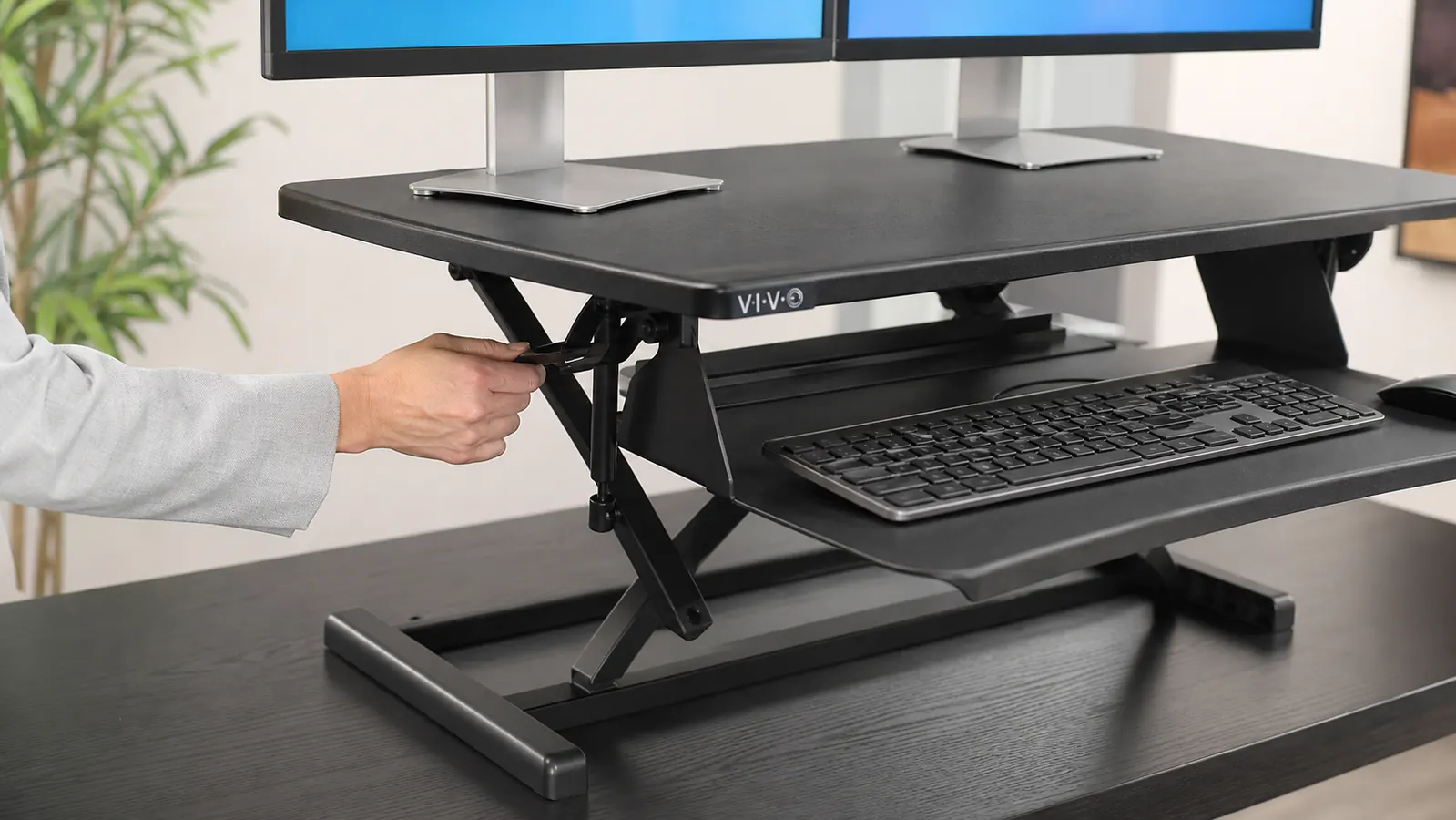
I spent about three weeks going back and forth on this exact question before I upgraded my home office last spring: buy a full electric standing desk, or bolt a converter riser onto the flat desk I already had. I ended up going with the VIVO 42 inch Desk Converter, the K Series model with dual monitor and laptop support, and I've used it almost every workday since. Before that purchase I had a full standing desk sitting in another browser tab for two of those weeks, the kind that raises and lowers on its own motorized legs, so I've actually done the research on both sides of this instead of just repeating spec sheets. I also talked to two friends who'd already made the opposite choice from each other, one with a converter and one with a full desk, before I pulled the trigger, and their day-to-day complaints ended up mattering more to my decision than any spec sheet did.
The short answer, if you already own a desk you like, or you rent and can't commit to a piece of furniture that takes up permanent floor space, the converter wins. If you're starting from a bare room, have the floor space, and want one clean surface instead of a riser stacked on top of another desk, a full standing desk is the better long-term buy. At Best Home Office Setup Hub we get this question constantly, because both options solve the same problem, sitting all day, but they solve it in completely different ways, and the price gap between them is bigger than most people expect going into it.
| VIVO 42" Desk Converter | FlexiSpot E7 Standing Desk | |
|---|---|---|
| Price (typical retail) | $161.99 | $479 to $549 depending on desktop size and finish |
| Floor Footprint | None, sits on top of the desk you already own | Needs its own footprint, roughly 48 to 72 inches wide, 24 to 30 inches deep |
| Height Range | 5.5 to 20 inches of riser travel above your desk surface | 22.6 to 48.4 inches, full desk height range |
| Lift Mechanism | Manual gas-spring lift, no motor, no cords to power it | Dual-motor electric lift with programmable memory presets |
| Weight Capacity | 33 lbs on the main platform, 22 lbs on the keyboard tray | 355 lbs across the full desktop |
| Assembly | About 20 to 30 minutes, included tools, one person | 45 to 75 minutes, frame assembly, two people recommended |
| Your Existing Desk | Keeps it, sits directly on top | Replaces it entirely, needs its own desktop |
| Cable Management | None built in, add-on tray sold separately | Built-in cable tray included on most bundles |
| Warranty | 5-year limited | 7-year frame, 2-year electronics |
Where the VIVO Converter Wins
The biggest practical win is that I didn't have to replace anything. My desk was a decent walnut-veneer piece I'd already had for four years, and the VIVO simply sits on top of it. Total setup time was about 25 minutes with the included tools, mostly attaching the keyboard tray and adjusting the gas-spring tension so the platform doesn't drift when I let go of it. No electrician-adjacent wiring, no motor to worry about failing five years from now, just a mechanical lift that's worked the same way every single time I've used it. Across the more than 15,000 reviews it's picked up and a 4.6-star average rating, that reliability seems to be the norm rather than my personal luck.
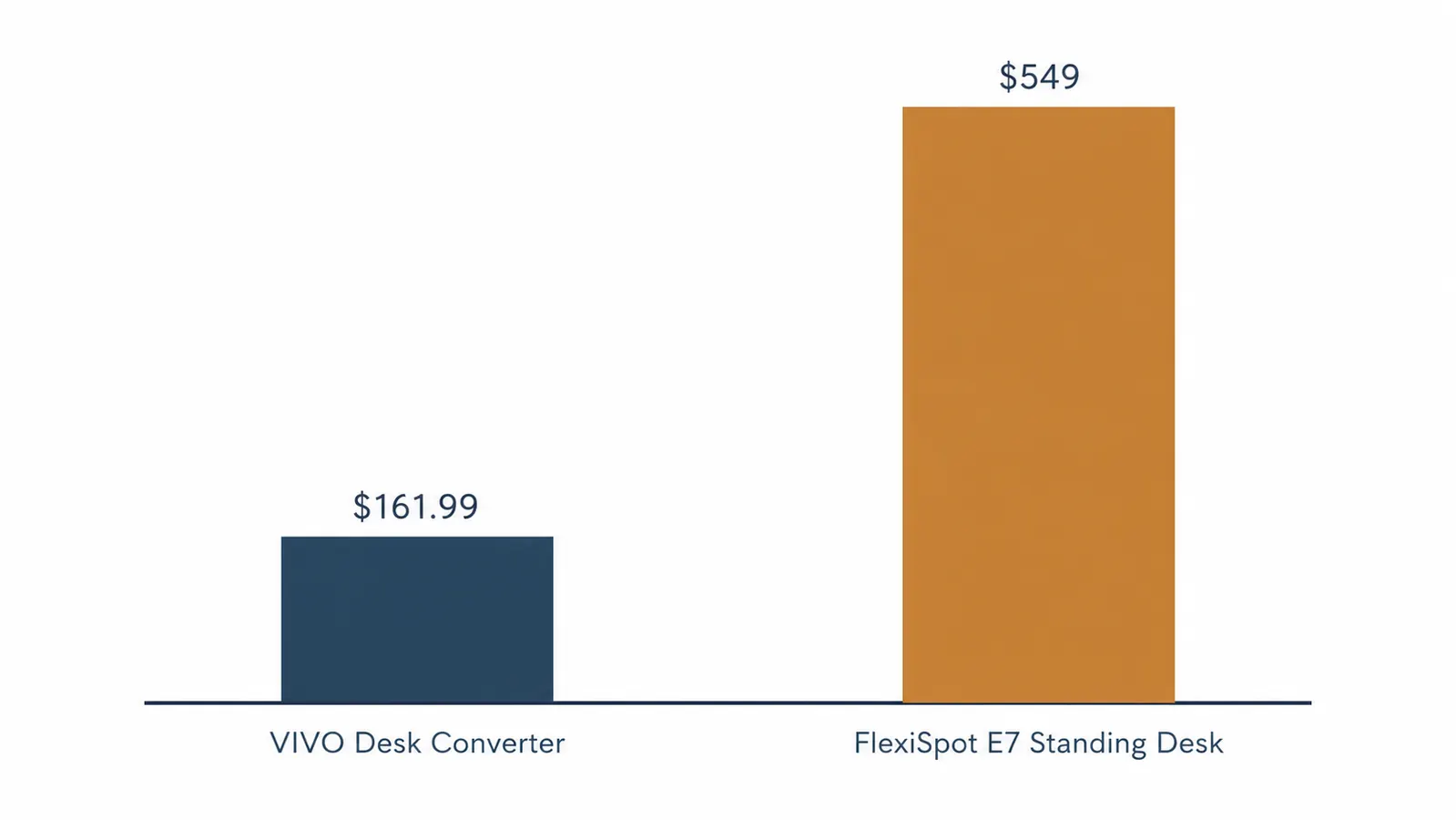
The price gap is the other real factor. At $161.99, the VIVO costs less than a third of what the FlexiSpot E7 runs once you add a desktop to it. That's not a small difference if you're setting up a home office on a budget, and it's money you can put toward a better chair, a monitor arm, or decent lighting instead of sinking it all into one piece of furniture. It also solves the exact problem most people actually have, which is sitting too long, not needing an entirely new desk. If your current desk is fine and your back is the actual complaint, the converter fixes that specific problem without asking you to redo your whole workspace around it.
Where a Full Standing Desk Wins
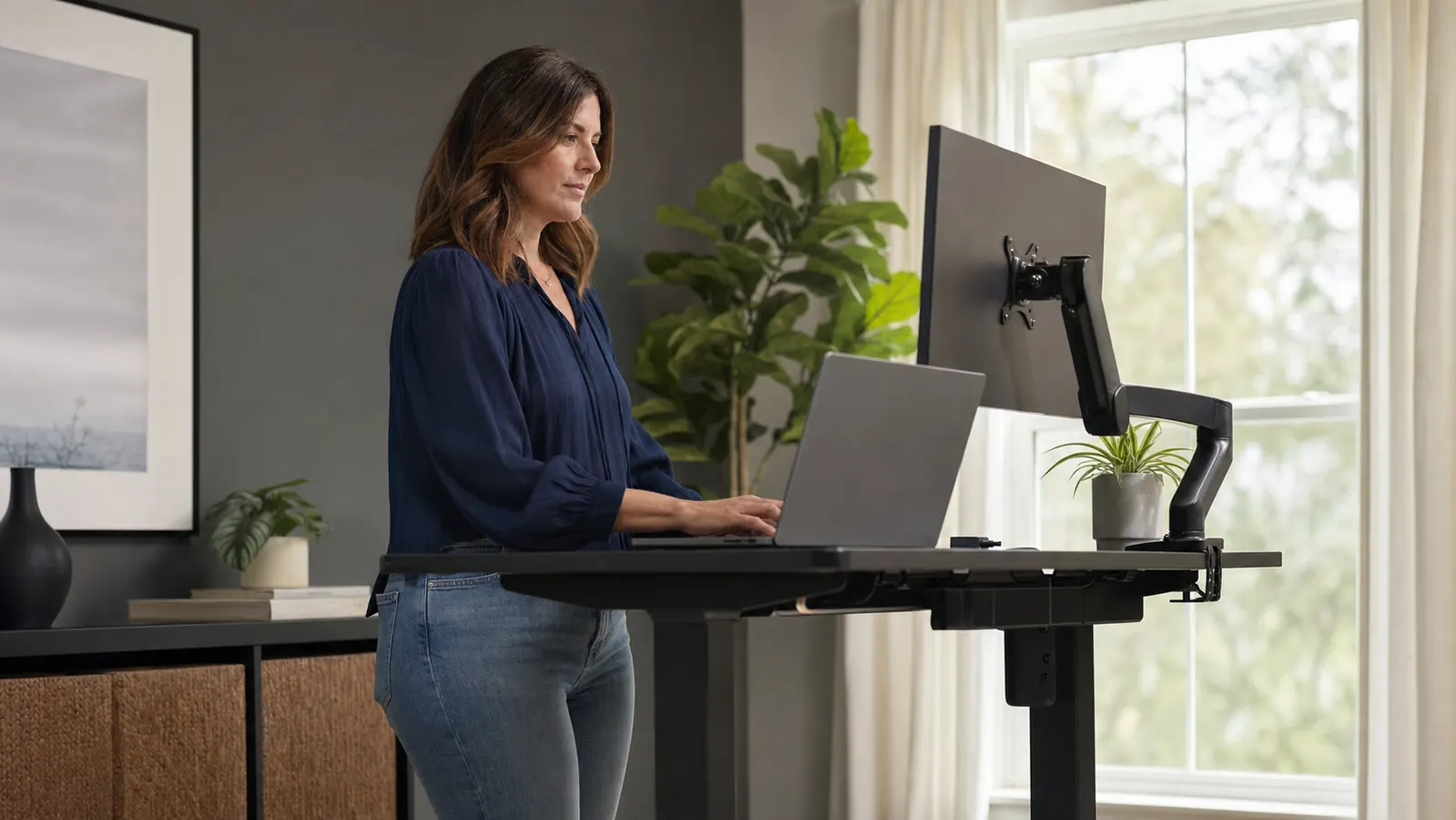
Where the FlexiSpot E7 pulls ahead is stability and range. A converter platform, even a good one like the VIVO, sits a few inches above your existing desk, which means your effective standing height starts from wherever your current desk already lands. If your desk is on the low side, you can run out of usable riser travel before you're actually standing comfortably. The E7's legs adjust the entire desk from 22.6 to 48.4 inches, which covers nearly everyone from a 5 foot 2 sitter to a 6 foot 5 stander with room to spare. It's also just sturdier at full extension. I've leaned on a friend's E7 at max height and felt almost no wobble, where a converter platform, mine included, has a bit more give if you push on the edge of the top surface.
The other advantage is that a full standing desk looks like one clean surface, not a riser stacked on a desk. If your home office is visible on video calls or you just prefer a minimal look, a converter adds visible height and a second tier of surface that some people find cluttered. The E7 also comes with a built-in cable tray on most bundles, memory height presets you set once and then hit with a button, and a 355 lb weight capacity that leaves plenty of headroom for a heavy monitor arm setup or gear you don't want to move. If you're starting completely from scratch anyway, that's a meaningfully better long-term piece of furniture than a converter perched on a desk you'll eventually want to replace.
Keep the desk you have, fix the sitting problem for under $200
The VIVO 42 inch converter turns the desk you already own into a sit-stand setup in about 25 minutes, no new furniture and no floor space lost.
Amazon Check Today's Price on Amazon →The Space and Footprint Reality
Floor space is the factor people underestimate until moving day. A full standing desk needs its own footprint, typically 48 to 72 inches wide and 24 to 30 inches deep once you account for the legs and any keyboard tray, and it's not something you casually shove into a closet when company comes over. The converter has zero additional footprint requirement, because it uses the desk you already have. I work out of a spare bedroom that doubles as a guest room a couple times a year, and being able to lower the VIVO flat and put a throw pillow on the desk for ten minutes is genuinely useful in a way I didn't think about until I actually needed it.
This matters more in apartments and shared spaces than in a dedicated home office with a door that closes. If you rent, moving a 60-plus pound standing desk frame between apartments is its own project, disassembly, reassembly, sometimes a chipped edge on the desktop from the move. The VIVO converter weighs about 42 lbs fully assembled and comes off your existing desk in under five minutes, no tools required, if you're moving or just want your desk back to flat for a weekend. That portability isn't a small thing if you've moved apartments more than once in the past few years, which describes a lot of the remote workers reading this site. I've now moved twice in the past four years, and both times the converter came off the desk, got wrapped in a towel, and rode in the back seat of my car without any special planning at all.
I didn't need a whole new desk. I needed the desk I already had to stop making my back hurt by 3pm.
The Long-Term Cost Math
Run the five-year math and the gap holds up. The VIVO at $161.99 plus the desk you already own comes in well under $200 total. The FlexiSpot E7 at $479 to $549 needs a desktop too if you don't buy the bundle, and typical desktop options add another $100 to $200, pushing a realistic total closer to $600 to $700 once everything is set up. That's roughly three to four times the converter's cost for the same core benefit, being able to stand while you work. The E7 wins if you value the motorized presets and the single-surface look enough to pay for them. For most people asking this exact question, the extra money buys convenience, not a meaningfully better health outcome. I also factored in that I'm not planning to move desks again anytime soon, which made the converter's lower upfront cost feel like less of a compromise and more like the obviously correct call for where I actually am in life right now.
There's also a resale angle worth mentioning. A used converter doesn't hold much value on the secondhand market, people expect to pay close to nothing for one. A used FlexiSpot desk, especially the frame alone, holds real resale value because the motor and electronics are the expensive part and buyers know it. If there's a real chance you'll want to redo your whole office setup in a couple years anyway, buying the full standing desk now and reselling it later closes some of that cost gap. If you're not planning to move house or overhaul your office soon, that math doesn't help you much today.
Assembly and What Actually Shows Up at Your Door
The VIVO arrives in one box, around 45 lbs shipped. I unboxed it on a Saturday morning, attached the keyboard tray with the included Allen wrench, set the gas-spring tension with the small adjustment screw on the side, and had it sitting on my desk in under 30 minutes with coffee still warm. No second person needed, no drilling into the wall, no separate power outlet to route a cord to. The only mildly annoying part was getting the tension dialed in so the platform didn't sink under the weight of two monitors, that took a few turns of the adjustment screw and about five minutes of trial and error.
A full standing desk like the E7 ships in a much bigger, heavier box, usually two boxes if you buy frame and desktop separately, and the frame alone can run 60 to 70 lbs. Attaching the legs to the desktop, squaring everything up, and running the motor cable to the control box is a real project, most people budget an hour and a second set of hands for the final flip-over step. It's not difficult, but it's a different category of setup than unboxing a converter on a Saturday morning between coffee and lunch.
What Nobody Mentions Until You've Lived With One
Here's the part the spec sheets skip. The VIVO's platform has a very slight give when you type hard or lean on it, mine included, and if you're the kind of person who slams a keyboard, you'll notice it more than someone with a lighter touch. It's not a defect, it's just physics, a riser sitting on top of a desk will always flex a little more than a desk that's one solid surface bolted straight to its own legs. I also had to move my monitor arm's clamp down about two inches to fit the converter's lower platform depth, which took ten minutes but wasn't something I'd budgeted for until I hit the problem in real time.
The E7 has its own quiet annoyance, and it's the motor whir. It's not loud, more of a low hum for the two or three seconds it takes to move between heights, but if you're on a video call and you raise the desk mid-meeting, people notice it through your mic. I've done it by accident on a friend's setup and had to apologize and explain. The VIVO's manual lift makes almost no sound at all, you just pull the handle and push down, which is a small thing until you're the person who forgot to mute before adjusting your desk height.
Who Should Buy Which
If you already like your desk, you're working with a tighter budget, you rent or move often, or your main complaint is simply that sitting all day hurts, the VIVO converter is the right call, and it's what most readers of Best Home Office Setup Hub end up buying. It solves the actual daily problem, standing periodically, without asking you to redo your whole room. If you're setting up a home office from zero, you have the floor space for a dedicated desk, and you want the cleanest possible surface with motorized presets and a higher weight capacity for a serious multi-monitor setup, the FlexiSpot E7 or something like it is worth the extra few hundred dollars. Neither choice is wrong, they're just built for different starting points, and knowing which one you're actually in makes this decision a lot easier than it looks on paper.
Still on the fence? Start with the cheaper fix first
You can always upgrade to a full standing desk later. The VIVO converter gets you standing today for a fraction of the cost, on the desk you already own.
Amazon Check Today's Price on Amazon →