I almost sent this thing back on day two. Not because it didn't work, it worked fine, but because I turned the brightness dial to what I assumed was a middle setting and it lit up my whole apartment wall like an interrogation room. My roommate walked past my open door, stopped, and asked if I was filming something. I wasn't. I was three minutes into a pitch call with a client I'd been trying to land for two months, and I had to mute myself, drop the brightness, and hope she hadn't noticed the sudden lighting change on her end.
That's the review nobody writes. Most UBeesize key light reviews on Amazon read like they were posted the same afternoon the box arrived, five stars, generic praise, done. I run a small freelance consulting practice out of a converted closet-office, I'm on three to five client calls most weekdays, and I've now had this light long enough to know where it actually helps and where the listing oversells it. This isn't Best Home Office Setup Hub's long-term diary of six months with the thing, that's a separate piece if you want the daily-use version. This is the blunt one: brightness, color temperature, and the app question that half the Amazon reviews argue about in the comments.
The Quick Verdict
A solid, honestly bright key light with one real design flaw, unmarked dials, and one real myth to clear up, there's no app for this model despite what some reviews imply.
Amazon Check Today's Price →Before you buy this expecting app control, read this first
The dials work fine once you know the tricks, but the listing photos leave out a few things. Check today's price on the UBeesize Key Light and decide with the full picture.
Amazon Check Today's Price on Amazon →How I've Used It, and What Almost Made Me Return It
I bought this after a client, on a recorded call, mentioned in passing that the lighting in my previous meeting had made me look tired. That's a rough thing to hear from someone you're trying to bill. I went looking for a fix that same afternoon, landed on the UBeesize 10 inch key light mostly because of the price and the clamp-mount photos, and had it on my desk two days later thanks to Prime shipping. I'd looked at a couple of ring light options first, but most of those photos showed the light sitting on a floor stand behind someone's phone, and I don't have the floor space for that in a room that also holds a filing cabinet and a treadmill I never use.
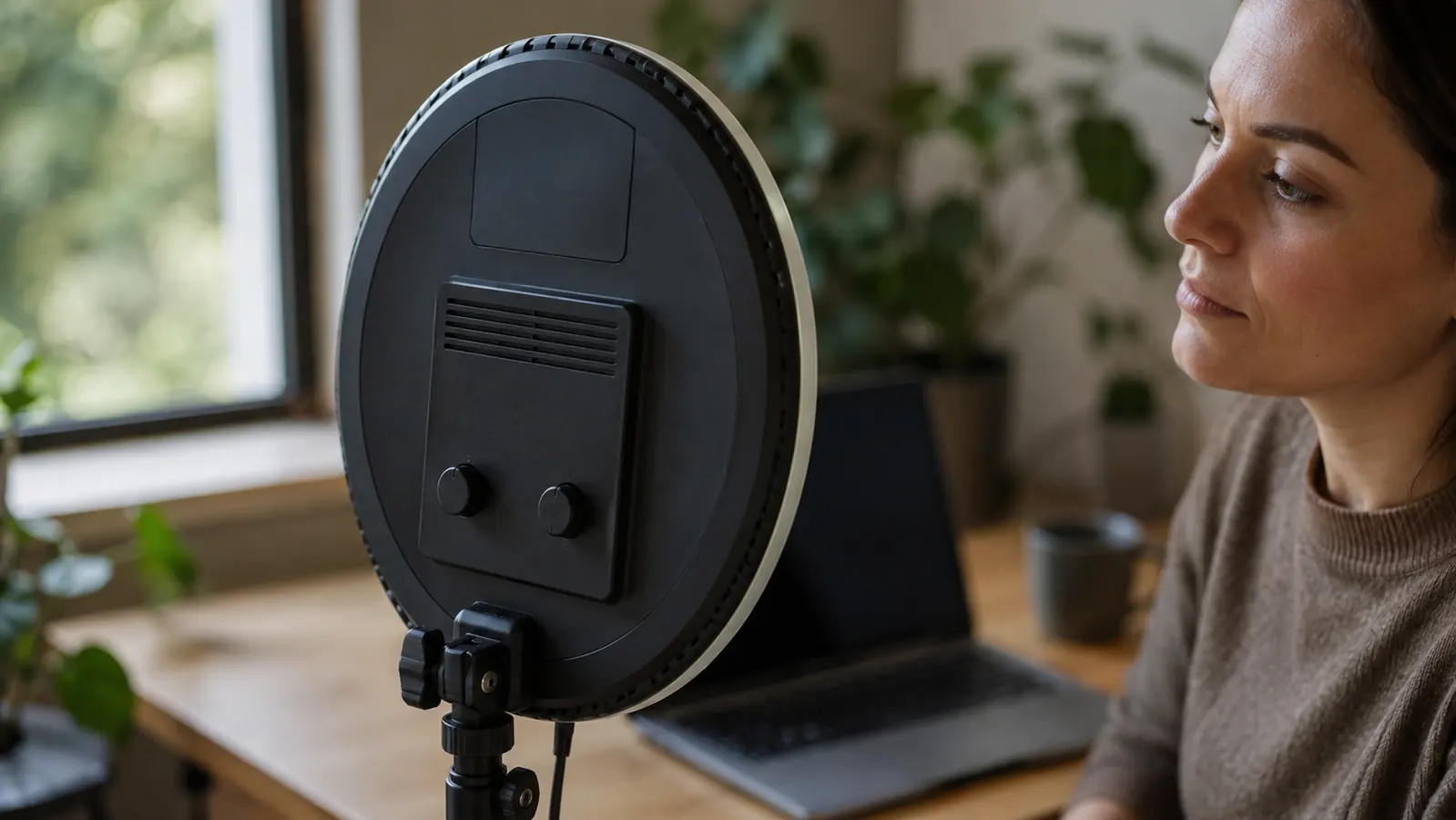
The unboxing was fine. Light head, articulating arm, desk clamp, a small tripod base as a backup mount, a USB-C cable, and a quick-start card with almost no actual instructions on it, just diagrams. No mention of an app anywhere on the card or the box. I point that out now because it matters later in this review.
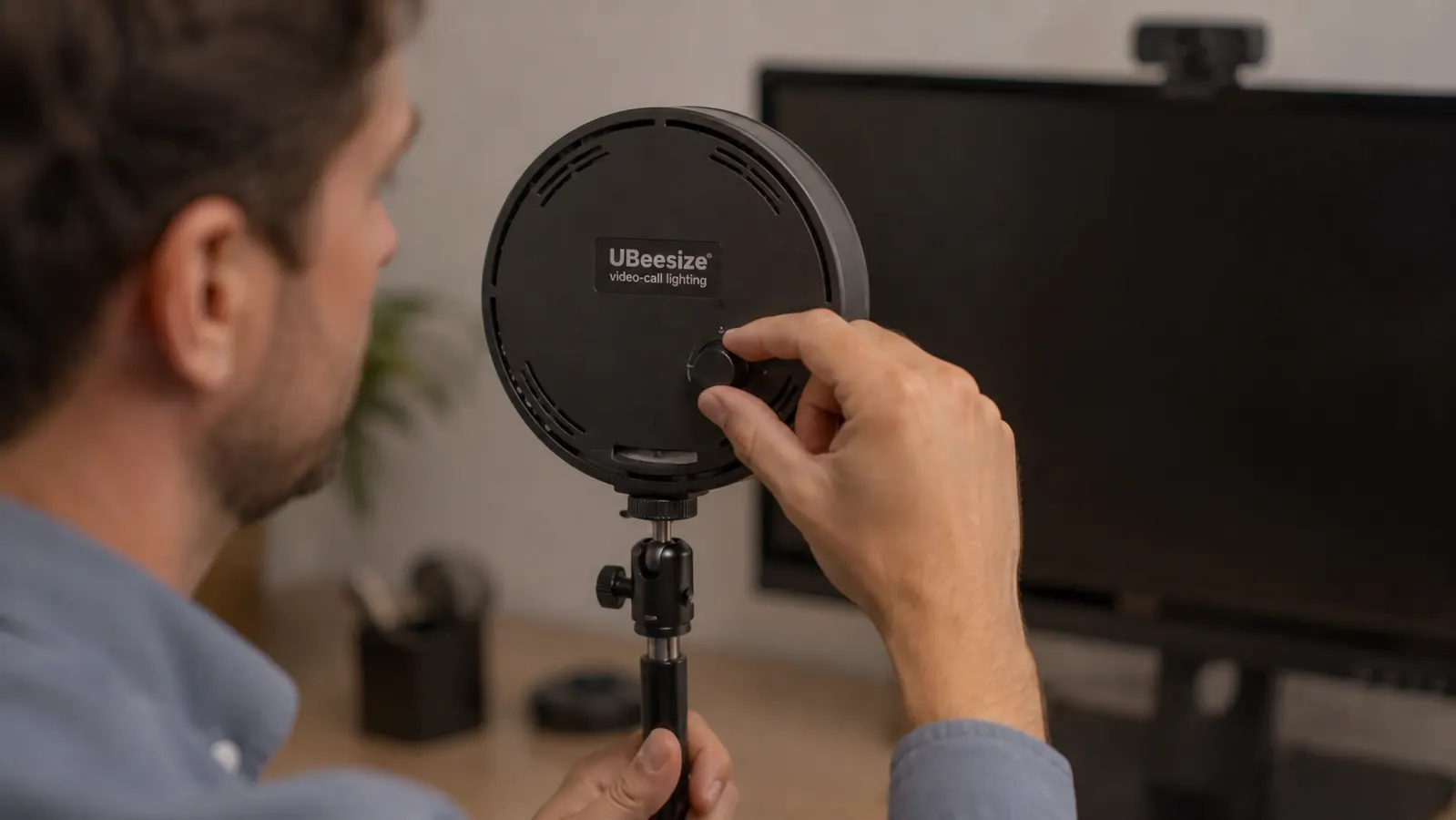
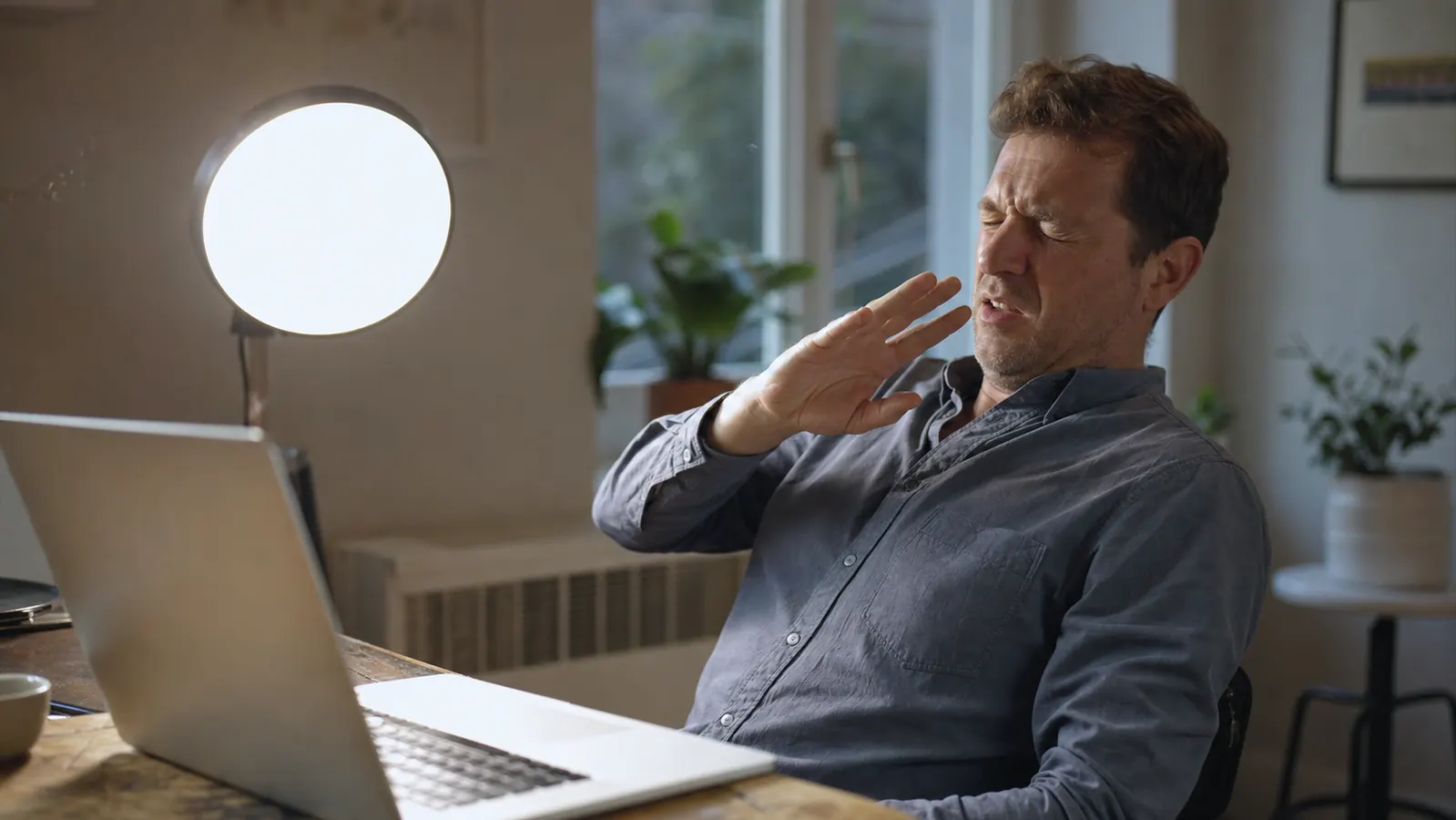
The near-return moment came from that brightness dial I mentioned. There are no numbers on it, no percentage marks, no notches you can feel with your finger, just a smooth rotating knob from off to max. I cranked it what felt like a third of the way and got blasted with more light than my desk lamp, my monitor, and my window combined. I actually looked up the return window before I'd even tested the color temperature dial, that's how close this came to going back in the box. What kept it on my desk was simple curiosity, I wanted to know if a light that aggressive at low settings could actually be dialed down to something usable, and it turned out it could, it just took longer to figure out than the product page implies.
The Brightness Numbers Nobody Puts in the Listing
Here's the thing the product photos don't tell you: full brightness on this light is more than almost anyone needs sitting at a desk. I tested it at every quarter turn of the dial, from what I'd estimate is 10 percent up to 100, sitting at my normal eighteen-inch distance from the light. Anything past the halfway point was uncomfortable to look at directly, and by 75 percent I had a faint afterimage when I glanced away from my screen.
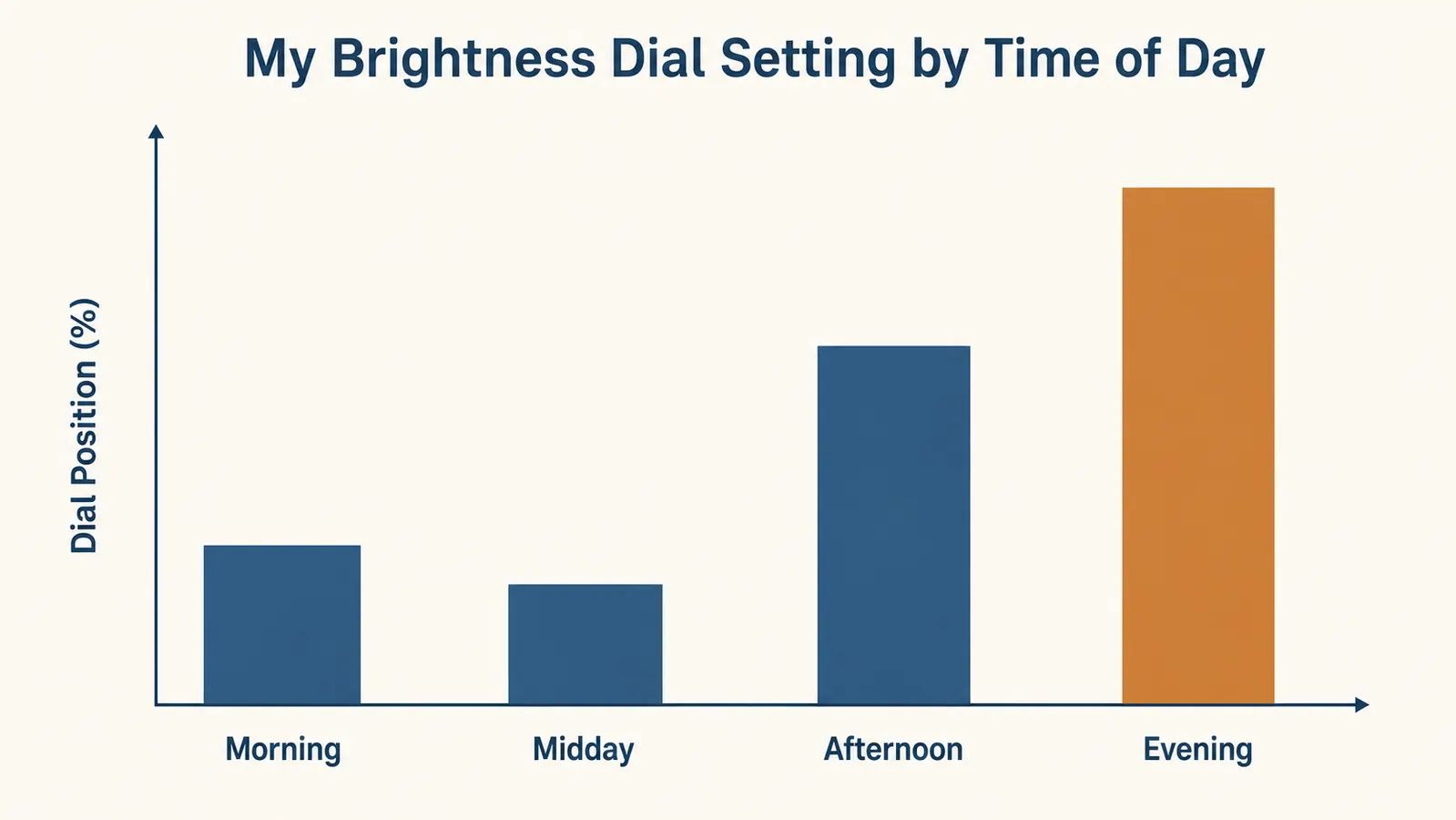
In practice, I live in the bottom third of that dial almost all day. My actual settings, tracked over a couple of weeks out of curiosity, land around 20 percent in the morning when the sun's already doing most of the work through my window, down to 15 percent at midday when the light outside peaks, up to about 45 percent in the afternoon as the sun moves off my side of the building, and around 65 percent once it's dark out. I never once needed to go past 70. That top third of the dial's range is, for a home office use case, mostly wasted headroom, useful maybe if you're using this for actual streaming or filming where you want more punch, but overkill for video calls.
The bigger honest gripe is the lack of markings. With no numbers, you're eyeballing the same setting every day from memory, and I've caught myself off by ten or fifteen percent more than once, especially right before a call when I'm rushing. A cheap piece of tape with a marker line would fix this in thirty seconds, and I'd genuinely recommend doing that the day yours arrives instead of waiting until you're annoyed enough to bother, like I did.
Color Temperature, and Why the Dial Doesn't Match the Marketing Copy
The listing advertises a color temperature range that runs from a warm, candle-ish tone up through a cool, daylight-ish tone, controlled by a second dial right next to the brightness one. Functionally, it does shift the tone the way it's supposed to. My complaint isn't that it doesn't work, it's that the marketing implies a precision this dial doesn't actually offer. Like the brightness dial, there are no numbers, no Kelvin readout, nothing. You're turning a plain knob and eyeballing your own face on your webcam preview until it looks right.
I spent a full lunch break one day just dialing through the range with my laptop camera open, trying to find the setting that made my skin tone look most natural rather than either orange or washed out blue-white. I landed somewhere in the middle third of the dial, closer to the warm end than the cool end, but I couldn't tell you a number for it, and neither can UBeesize's own product page, which lists a Kelvin range but not a scale on the physical dial to match it to. I ended up screenshotting my own webcam preview at three different dial positions just so I'd have something to compare against the next time I nudged it out of place.
What nobody mentions in the glowing reviews is that this setting isn't fixed once you find it. My apartment gets warmer ambient light in the evening from a floor lamp I keep on, and the same dial position that looked neutral at 2pm reads slightly too warm at 8pm once that lamp is competing with it. I've adjusted the color dial more times in the last month than the brightness one, honestly, which surprised me going in. If your room has any other light source you turn on and off through the day, plan on doing the same small adjustments rather than assuming you'll set it once and forget it.
The App That Doesn't Exist for This Model
This is the part I actually want to clear up, because it caused me real confusion before I bought. Scroll through the Amazon reviews on UBeesize lighting products and you'll see people mention an app, Bluetooth control, scene presets, that kind of thing. I assumed going in that this key light would have some version of that, since a lot of competing brands in this price range do offer phone-app dimming now.
It doesn't. This specific 10 inch key light is controlled entirely by the two physical dials I've already described. No Bluetooth pairing screen appeared when I checked my phone, no QR code in the box pointing to a download, nothing in the manual mentioning an app at all. After some digging, I think the app-related reviews people leave are either about a different UBeesize product in their lineup that does have smart controls, or reviewers who assumed it should have one and never actually found it, then mentioned it anyway out of habit or confusion. I even searched the app store myself under a couple of guesses at what it might be called and came up empty, which is what finally convinced me this model just doesn't ship with one.
I'll be honest, part of me wishes it did have app control, mostly so I could save a preset and stop eyeballing the dials every time the light in my room shifts. But I also don't think its absence is a real dealbreaker for a video-call use case the way it might be for someone doing actual content production with scene changes mid-shoot. Two dials you learn by feel within a week is a perfectly workable system for someone just trying to look decent on a Zoom call, it's just not what the word 'key light' implies to people coming from streaming gear with full app ecosystems.
The Small Stuff That Actually Bugged Me
A few things that didn't make it into the bigger sections but still shaped how I feel about this light after regular use. The clamp, while sturdy, leaves a faint but visible pressure mark on the finish of my particular desk after being left on for a few weeks straight. Nothing that doesn't buff out, but worth knowing if you've got a nicer finish than I do. The built-in phone mount on the light head, meant for vertical video creators, has never once been useful to me, and it does add a bit of bulk to the head that I notice every time I'm angling it.
There's also a faint electrical hum at higher brightness settings, only noticeable if my room is otherwise dead silent, which happens more often than you'd think in a home office. It's not loud enough to pick up on a call's microphone as far as I can tell, my clients have never mentioned it, but I hear it myself when I'm concentrating and the rest of the apartment is quiet. And the cable, a fixed USB-C that isn't detachable from the light head, means if it ever frays near the connector, you're likely looking at replacing the whole unit rather than just a cable. None of these are dealbreakers on their own, but stacked together they're the kind of small print I wish the listing had been upfront about instead of leaving me to find out one at a time.
What I Liked
- Actually bright enough that I've never needed more than roughly 70 percent of the dial's total range
- Diffused panel avoids the harsh single-shadow look of a regular desk lamp
- Clamp mount holds firmly through weeks of leaving it in place
- Works well for video calls with zero learning curve past the first few days of dial-guessing
- Price sits well below proper streaming light panels that offer similar coverage
Where It Falls Short
- No app or Bluetooth control despite what some other reviews imply, dials only
- Neither the brightness nor color temperature dial has any numbers or markings
- Full brightness is more than a video-call setup will realistically ever need
- Faint electrical hum audible at higher brightness in a quiet room
- Clamp can leave a light pressure mark on some desk finishes over time
- Fixed, non-detachable USB-C cable at the light head
The listing photos make it look like a plug-and-glow situation. The truth is closer to plug it in, blind yourself once, and spend a week learning where the good settings actually are.
Who This Is For
If you're comfortable eyeballing a couple of unmarked dials for a week until you find your spot, and you mainly need this for video calls rather than app-controlled streaming setups, this is a genuinely capable light for the price. It's a good fit for freelancers and consultants doing client-facing calls, anyone who's been told, directly or indirectly, that their lighting looks worse than their work does, and people who want more control than a desk lamp without paying streaming-panel prices.
Who Should Skip It
If you specifically want app-based dimming, saved presets, or remote control from your phone, this isn't that light, and buying it expecting one will leave you disappointed no matter how good the light quality itself turns out to be. If precision matters to you, say you're trying to match a very specific color temperature for recorded video rather than live calls, the unmarked dials will frustrate you more than they'll bother someone just trying to look normal on Zoom. And if your desk finish is precious to you, keep an eye on where that clamp sits over time.
Now you know what the five-star reviews leave out
No app, unmarked dials, more brightness than you'll likely ever use. And it still fixed my lighting problem within a week. See today's price on the UBeesize Key Light and judge it with the full picture, not just the highlight reel.
Amazon Check Today's Price on Amazon →