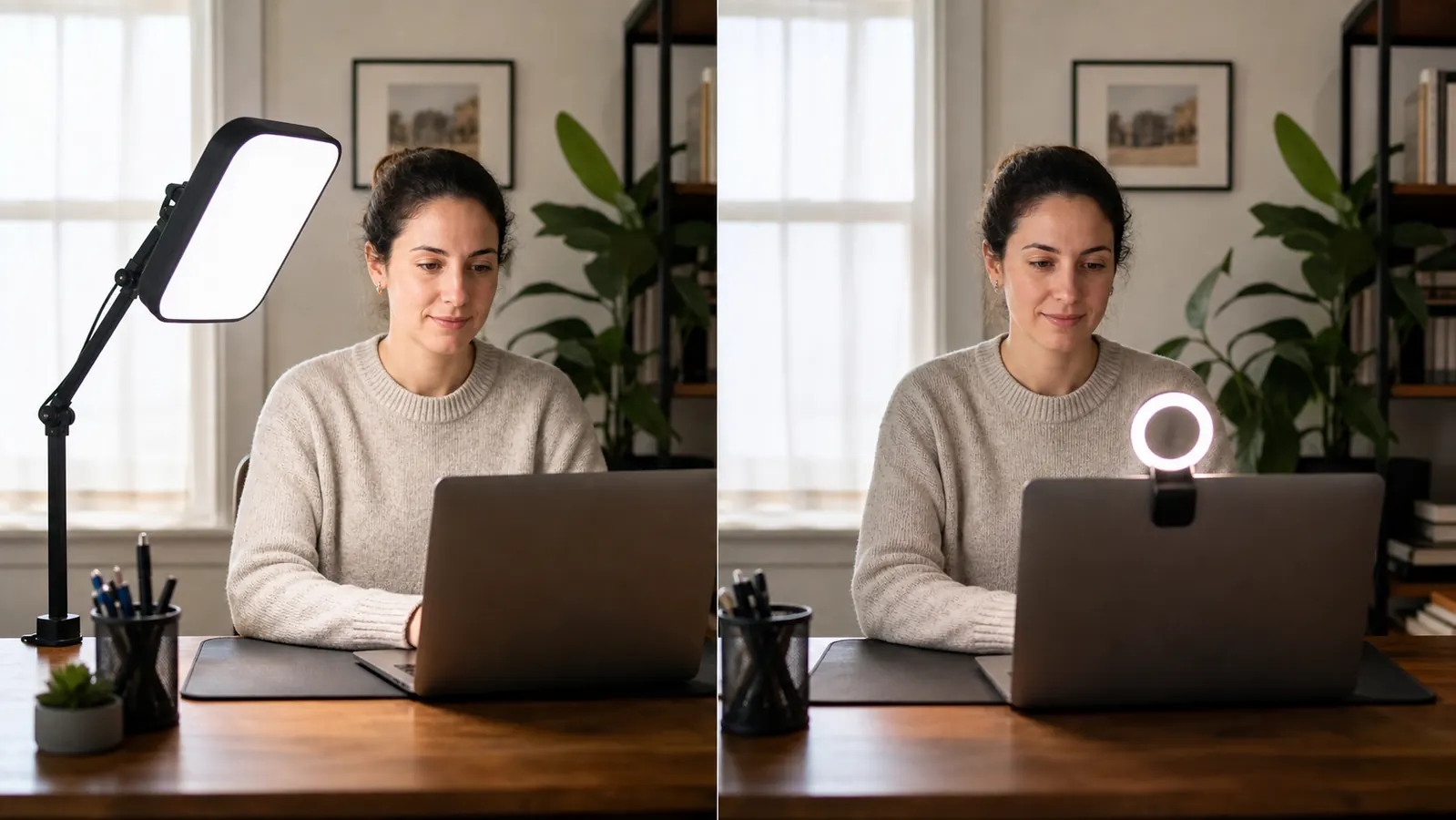
I spent four months joining video calls under a single overhead ceiling light before I admitted the problem wasn't my camera, it was that the ceiling light was throwing my face into shadow every time I looked down at my screen. I bought a $19 clip-on ring light first, because it was cheap and it was already sitting in my Amazon cart from a late-night search. It helped for about two weeks. Then I switched to the UBeesize 10 inch Key Light, a $39.99 desk light on an adjustable arm, and the difference on camera showed up in the very first meeting I used it for.
The short answer, if you're on camera for work most days, the key light wins, and it isn't close once you factor in color temperature control and even light spread. If you only hop on a call once or twice a week and mostly want to stop looking washed out, a basic ring light does that job for about a third of the price. At Best Home Office Setup Hub we test lighting the way we test everything else, by actually sitting under it for weeks of real meetings, not a five-minute unboxing video. The pattern we keep seeing is that ring lights fix the obvious problem, a dark face, but they introduce a new one, that flat, slightly clinical ring of light reflected in your eyes that makes you look like you're being interviewed under an exam room lamp.
| UBeesize Key Light | Basic Ring Light | |
|---|---|---|
| Price (typical retail) | $39.99 | $15 to $25 |
| Brightness | Stepless 1% to 100% dimming, roughly 900 lux measured at 20 inches on max | Fixed 3-level switch, roughly 350 lux at 20 inches on the brightest setting |
| Color Temperature | 2600K to 6000K, stepless adjustment to match any room light | 3 presets only, warm 3000K, neutral 4500K, daylight 6000K, no in-between |
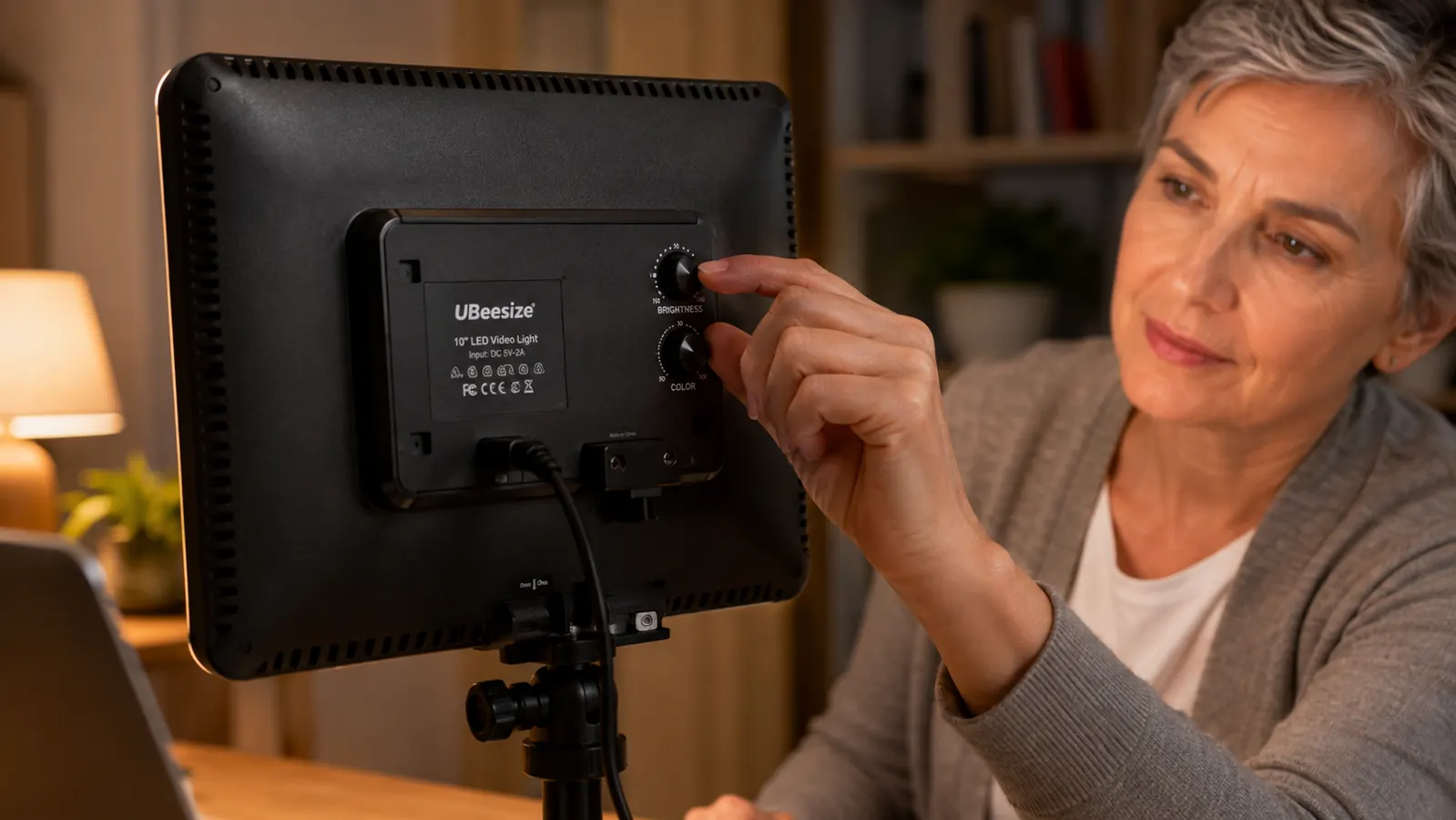
| Control Method | UBeesize app over Bluetooth plus a physical dial on the back of the panel | Small inline switch on the power cord, one button cycles brightness and color |
| Mounting | Clamps to the desk edge on an adjustable arm, swings and tilts independent of the laptop | Clips directly onto the laptop lid or monitor bezel |
| Catchlight in Eyes | Diffused rectangular softbox-style panel, no visible ring shape reflected | Visible circular ring reflected in both eyes, easy to spot on a close-up |
| Power Source | USB-C, plugs into a wall outlet or power bank, doesn't draw from the laptop battery | USB-A, plugs directly into the laptop, pulls power from the laptop itself |
| Best For | Daily video calls, streaming, anyone who moves between rooms with different light | Occasional calls, quick touch-ups, tight budgets |
Where the UBeesize Key Light Wins
The color temperature range is the feature I didn't know I needed until I had it. My home office has a north-facing window that runs cool and blue in the morning and warm and orange by late afternoon, and a fixed-temperature ring light clashes with one of those two conditions every single day, either fighting the window or looking artificially warm against it. The UBeesize panel adjusts from 2600K up to 6000K with no steps in between, so I dial it to match whatever the window is doing that hour, and my face stops looking like it's lit by two competing light sources at once. The app control sounds like a gimmick until you're mid-meeting and need to nudge brightness without reaching across the desk and fumbling a physical switch on camera.
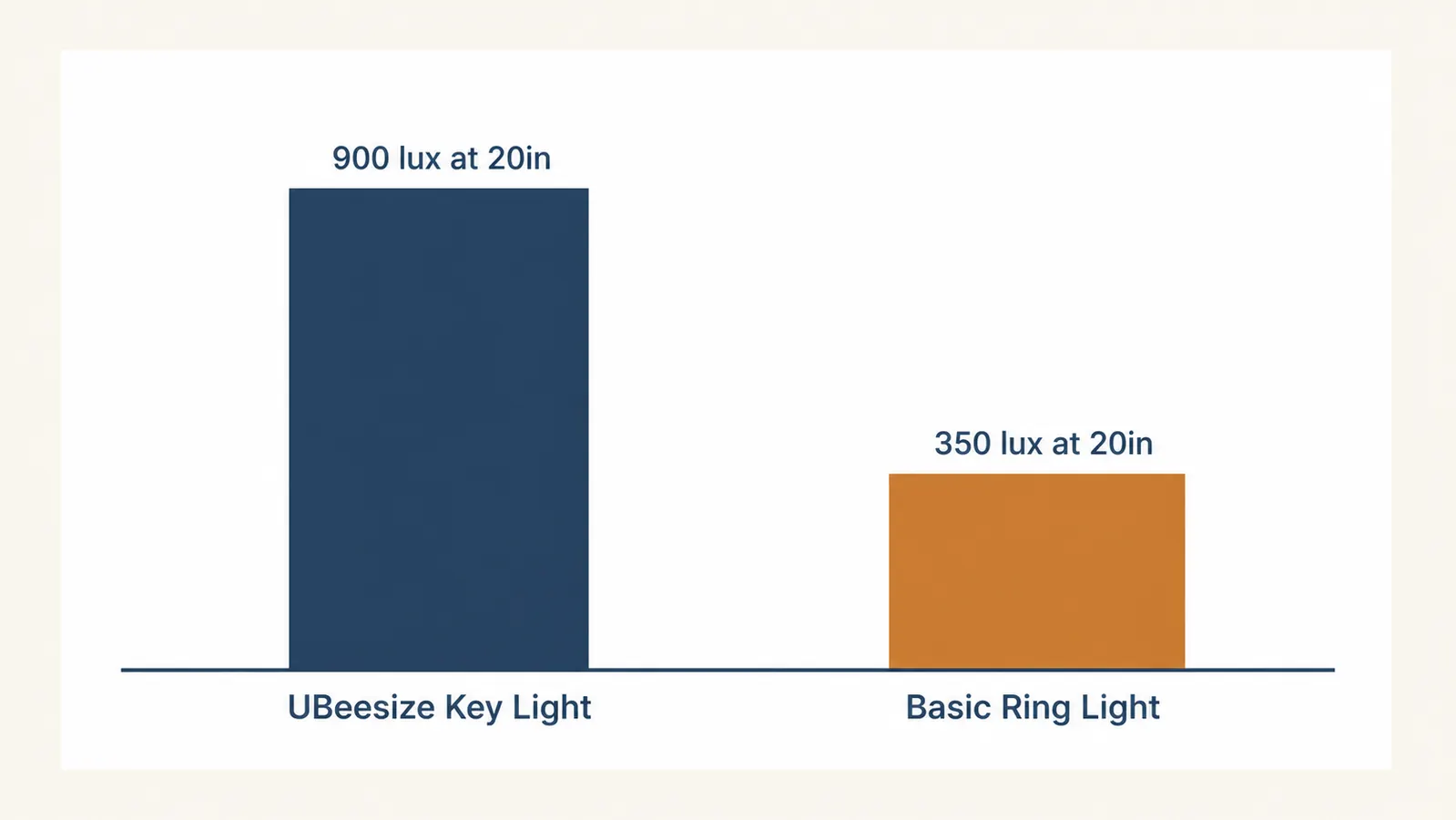
The diffused panel shape matters more than the spec sheet suggests. A ring light's whole design, a circle of small LEDs around a lens, means anyone looking closely at your eyes on a high-resolution call sees a tiny ring reflected back at them. It's subtle, but it reads as slightly staged, the same look you get in a beauty influencer's makeup video, not what you want in a client call. The key light's rectangular softbox-style diffusion produces a soft, directional catchlight instead, closer to what a window or a real studio light would leave behind. On the brightness side, going from roughly 350 lux to 900 lux at the same 20 inch distance meant I could finally get proper exposure in my office during the darker months without cranking my camera's gain and adding grain to the image.
Where a Basic Ring Light Wins
Price is the real advantage, and it's not a small one. A $19 ring light does roughly 70% of the job a $39.99 key light does for half the money, and for someone who joins two calls a week from a shared kitchen table, that math makes sense. It's also genuinely more portable, since it clips straight onto the laptop lid and travels with the laptop. There's no clamp to unscrew, no arm to fold down, no separate piece of gear to remember when you're working from a coffee shop or a co-working space for the day. If your setup changes location often, a ring light just goes wherever the laptop goes.
Setup simplicity is the other honest win. There's no app to download, no Bluetooth pairing, no dial to calibrate, you clip it on, plug the USB cable into the laptop, and press the one button until the brightness and color look right. For someone who wants lighting solved in under two minutes and never wants to think about it again, that's a legitimate reason to skip the key light entirely. Ring lights also tend to work well for close-up beauty or grooming tasks since the light sits directly around the lens and fills in shadows under the chin evenly, which is part of why they were designed for that use case in the first place before video calls adopted them.
Stop looking washed out or shadowed on every call
The UBeesize key light adjusts to match your room's actual light instead of fighting it, and the app lets you fix it mid-meeting without touching a switch on camera.
Amazon Check Today's Price on Amazon →Brightness and Color Temp in Practice
I measured both lights with a basic lux meter app at the same 20 inch distance I actually sit from my screen, not the manufacturer's optimistic marketing distance. The key light hit roughly 900 lux at full brightness, the ring light topped out around 350 lux on its highest setting. That gap doesn't sound dramatic until you're on a call in a room with only one small window and it's 4pm in December. At 350 lux my webcam's auto-exposure started compensating by boosting ISO, which added visible noise and made my face look grainy on a 1080p call. At 900 lux the camera had enough actual light to work with and produced a clean image without any digital boosting.
The color temperature story matters just as much as raw brightness. Most laptop webcams white-balance automatically, but they do it based on the dominant light source in frame, so if your ring light is stuck at a fixed 6000K daylight setting and your room lamp behind you is warm 2700K, the camera splits the difference and neither tone looks right. Being able to dial the key light to whatever the rest of the room is doing, usually somewhere around 4000K to 4500K for my office in the evening, means the camera has one consistent light temperature to balance against instead of two fighting sources. It's a small adjustment that makes a bigger visible difference than most people expect from a light.
CRI and How Skin Tones Actually Render
CRI, or color rendering index, is the spec nobody mentions until a light fails at it. It measures how accurately a light source shows true color compared to natural daylight, on a scale up to 100. The UBeesize key light is rated 95+ CRI, which is high enough that skin tones, hair color, and clothing show up close to how they'd look under a window on a clear day. Most budget ring lights don't publish a CRI number at all, and the ones that do usually land somewhere in the low 80s, which is fine for general brightness but noticeably flattens warmer skin tones and can push reds and oranges toward a slightly muddy, less saturated look on camera.
I noticed this most on a coworker's darker skin tone during a shared screen recording we did for a training video. Under the ring light her skin read slightly gray and lost some warmth, and under the key light the same shot brought back the natural undertone the ring light had flattened out. Neither light is doing anything malicious here, it's just physics, a lower CRI source is missing chunks of the color spectrum that a higher CRI source reproduces, and skin is one of the places that gap shows up fastest. If you're recording anything you'll rewatch or share, a course video, a testimonial, a LinkedIn clip, the CRI difference is worth more than the extra 20 dollars.
I didn't need a brighter light. I needed a light that matched the room instead of arguing with it, and a fixed-temperature ring light can't do that no matter how bright you turn it up.
Mounting and Desk Space Reality
The key light's clamp arm takes up real estate a ring light doesn't. It clamps to the back or side edge of the desk and needs about 2 inches of clear desk edge to bite into, plus enough overhead clearance for the arm to swing the panel into position. On my desk that meant relocating a small plant that used to sit in that exact corner. It's a five-minute annoyance, not a dealbreaker, but it's worth knowing before you clamp it on expecting a completely invisible setup. The upside is that once it's mounted, it's mounted, I never touch the clamp again, I just swing the arm and adjust the panel angle with one hand.
The ring light avoids all of that because it just clips onto the laptop lid itself, no desk clamp, no separate arm, nothing extra to find room for. That's a genuine advantage on a small desk or a laptop stand where there isn't 2 inches of exposed edge to clamp anything to. The tradeoff is that the light moves exactly where your laptop screen moves, which sounds convenient until you realize you can't angle the light independently of your screen angle, so if you tilt your laptop screen back to see it better, the light tilts back with it and stops pointing at your face the way you wanted.
What Nobody Tells You Until You've Used Both
The key light's app occasionally loses its Bluetooth connection after my laptop sleeps overnight, and I have to reopen the app and reconnect before the first call of the day, usually a 10 to 15 second fix but an annoying one to discover mid-meeting the first time it happened. The physical dial on the back of the panel is a decent backup for exactly this reason, so I'm not actually stuck if the app misbehaves, but it's worth knowing the wireless control isn't flawless before you rely on it for something time-sensitive.
The ring light's quiet downside only shows up after a few months, the clip mechanism loosens with repeated open-and-close cycles if you're a person who closes your laptop lid between calls. Mine started slipping down the lid edge after about ten weeks of daily use, tilting the light slightly downward until I noticed my chin was overexposed relative to my forehead. It's a cheap plastic clip doing exactly what cheap plastic clips do over time. The key light's metal desk clamp hasn't loosened at all in the same stretch of daily use, which is the kind of difference you only notice once you've lived with the alternative.
Who Should Buy Which
If you're on video calls most weekdays, if your office has changing natural light throughout the day, or if you've noticed people squinting or asking if you're in a dark room, buy the UBeesize key light. It's what most readers of Best Home Office Setup Hub land on once they realize a fixed-temperature light can't adjust to a room that changes light all day, only an adjustable one can. If you're on camera occasionally, you're working with a tight budget, or you move your laptop between locations often, a basic ring light is a perfectly reasonable, cheaper answer, and there's no reason to spend more for adjustability you won't use. Figure out how often you're actually on camera before you buy either one, because that single number decides which of these is worth the money.
Your face doesn't have to look like it's under a hospital light
The UBeesize key light matches its color temperature to your actual room instead of fighting it, and the arm keeps it out of your webcam frame entirely.
Amazon Check Today's Price on Amazon →