
Every five-star review of this arm says roughly the same three things: it's sturdy, it holds a monitor, and it was easy to install. None of them mention what happens when you clip a webcam light bar onto the top of your screen, or that the clamp only opens wide enough for desks under a certain thickness, or that the tension screw needs a specific touch before it holds without creeping. I found all three the hard way over four months of running the VIVO single monitor arm, and this is the version of the review I wish someone had written before I clicked buy.
This isn't a knock on the arm. It's still the one sitting on my desk. But at Best Home Office Setup Hub, our long-term piece on this same arm covers the day-to-day experience of using it, the posture change, the six-month settling-in period. This one is the punch list of details that only show up once you're past the unboxing photos: what the clamp actually requires from your desk, what the 22-pound weight rating leaves out once real accessories get added, and why the screen crept downward in week three even though I'd tensioned it correctly on day one and thought I was done with it.
The Quick Verdict
A solid, reliable arm once you know its actual requirements, but the listing undersells what your desk and your accessories need to be for it to work as advertised.
Amazon Check Today's Price →Before you buy, measure your desk edge, not the monitor
The single most common return reason for arms like this isn't a broken part. It's a desk edge that's too thick or too thin for the clamp. See today's price and check the clamp specs against your desk before you order.
Amazon Check Today's Price on Amazon →How I Actually Set This Up (On a Desk VIVO's Listing Doesn't Picture)
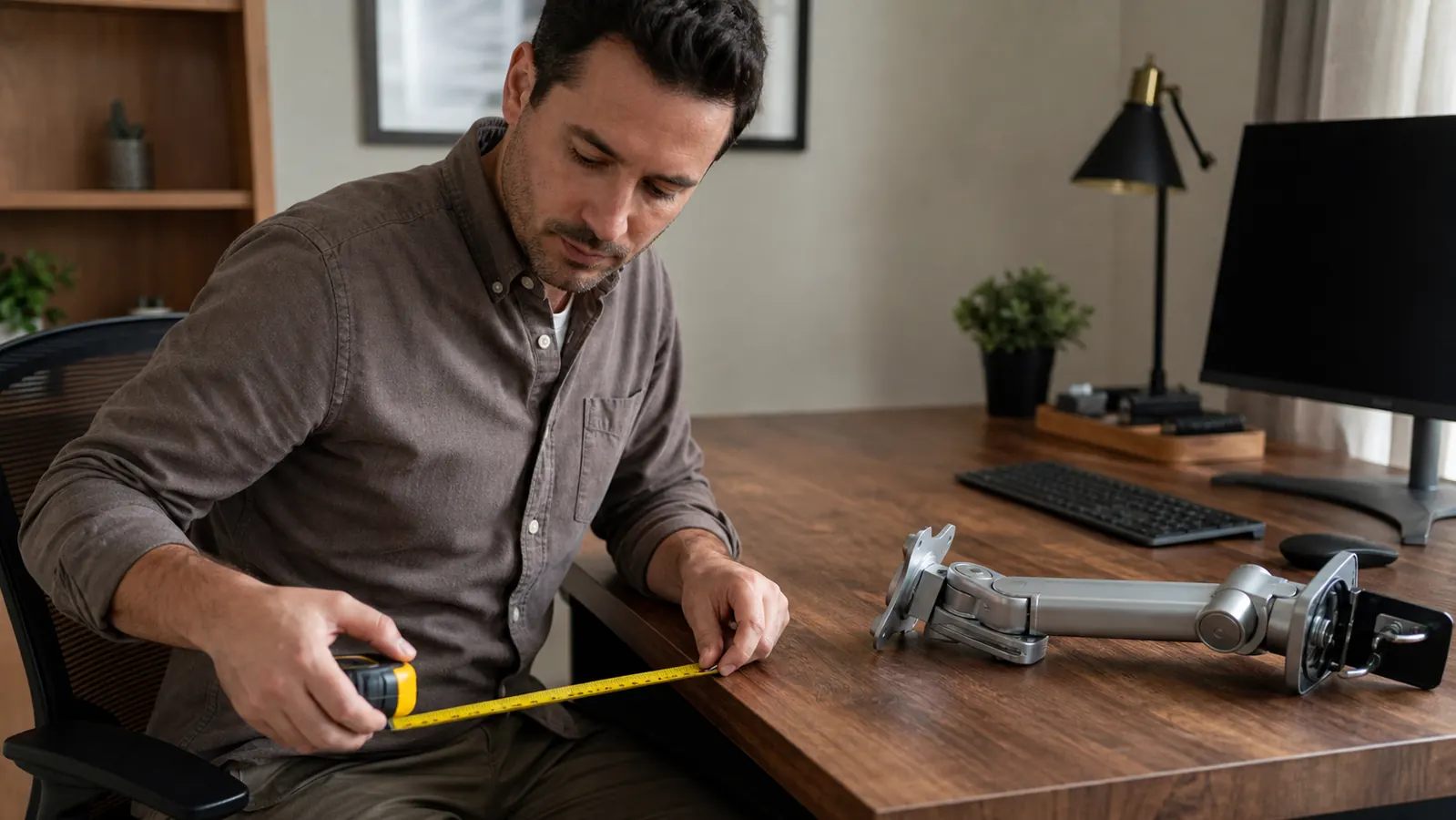
My desk is a hollow-core standing desk with a laminate top about an inch and a quarter thick at the back edge, nothing like the solid wood desk shown in most of the product photos. The clamp on this arm opens to roughly 3.15 inches, which sounds generous until you realize a lot of standing desks and glass desks have either a very thin edge or a raised lip that eats into that clearance. Mine was thin enough that the clamp gripped fine, but the rubber pad only made contact along about two-thirds of its surface instead of flush, because the hollow-core panel has a slight taper near the seam where the two halves of the desktop meet.
I didn't catch that until I pushed the monitor to one side during setup and felt the whole clamp rock slightly, maybe an eighth of an inch of play. A strip of the rubber shelf liner I had in a kitchen drawer, folded twice and wedged into the gap, fixed it completely. It's a two-dollar fix, but it's not something the instructions mention, and it's not something any of the reviews I read before buying flagged either, probably because most desks don't have a tapered hollow-core edge and most reviewers never think to check the contact quality, only whether the arm feels tight when they yank on it once.
Once the clamp was seated properly, the rest of setup was genuinely easy, about fifteen minutes with the included hex key. I mounted a 32-inch curved monitor, which is heavier than most single-screen setups this arm sees, and the VESA plate attached with standard screws that matched my monitor's mounting holes without needing an adapter. If your monitor uses a non-standard VESA pattern, check that before ordering, since the plate itself isn't adjustable beyond the standard 75x75 and 100x100 spacing, and there's no included adapter plate for anything outside those two sizes.
The Grip Clamp Nobody Warns You About
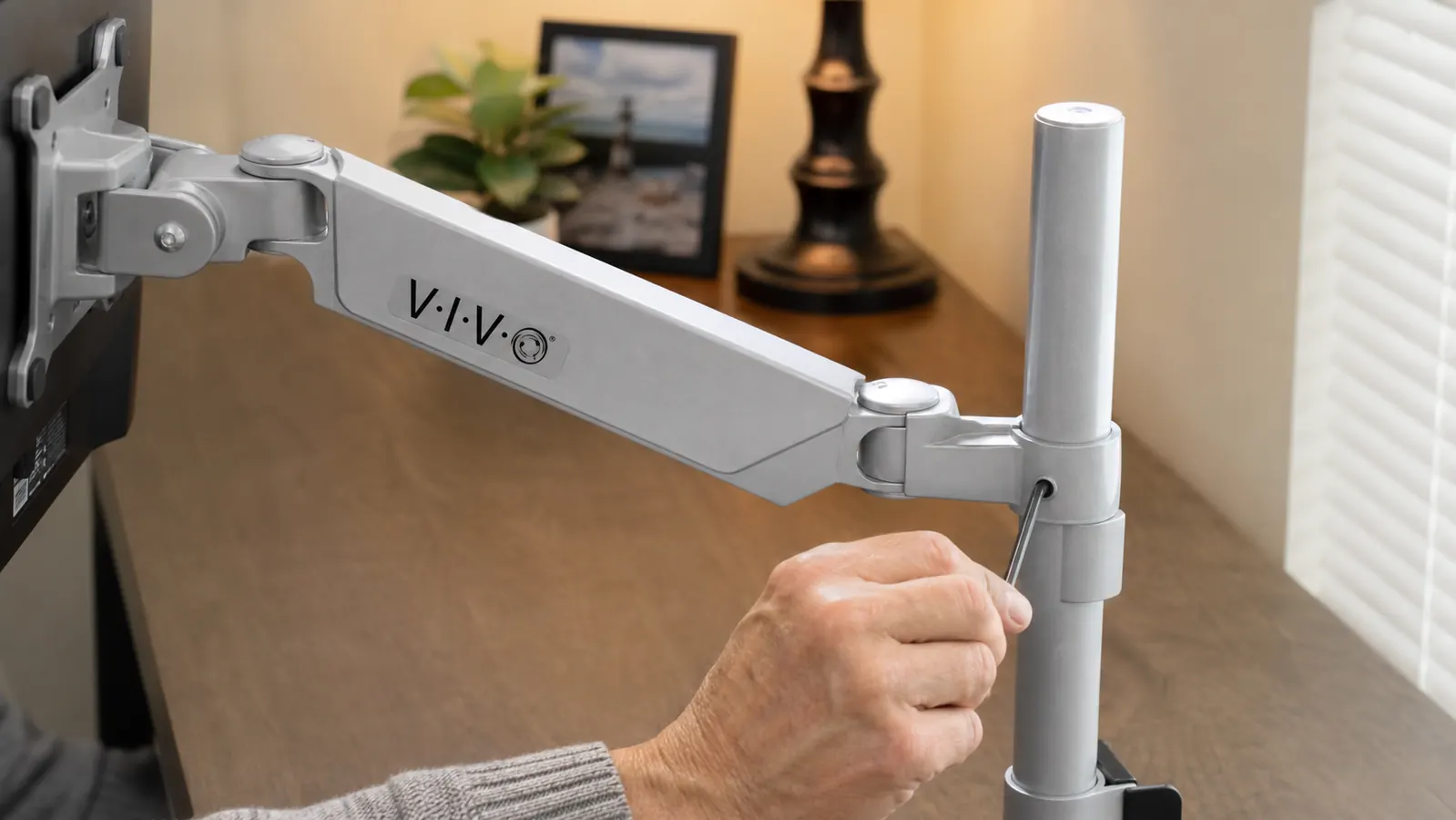
Here's the detail that would have saved me twenty minutes: the clamp needs consistent, flat contact across its full rubber pad to hold securely long-term, not just enough grip to hang on during setup. A clamp that grips at 80 percent contact will still pass the shake test you do right after installing it, because the arm hasn't had days of repeated adjustment yet to work that gap loose. It's only after a week of moving the screen around that a marginal clamp job starts to show, usually as a very slight rotation at the base rather than the arm dropping outright.
If your desk has a beveled or rounded front edge, a very thin edge under an inch, or a seam anywhere near where you want to mount, do the shim trick I described or use VIVO's included grommet-mount hardware instead, which goes through a drilled hole rather than clamping the edge. The grommet mount solves the contact problem entirely because it doesn't depend on edge geometry at all. I'd have used it from the start if I'd known my desk's edge wasn't a clean rectangle, and I'd recommend anyone with an unusual desk skip the clamp debate entirely and just drill the hole.
One more thing worth knowing: the clamp knob is metal but the internal threading it screws into is not, and over-tightening it past snug doesn't add meaningful grip, it just adds wear to the threads. I found the right amount by feel after the shim fix, snug plus about a quarter turn, and haven't had to touch it since. If you're the type to crank a bolt as tight as it'll physically go because you assume tighter equals safer, this is the one spot on the arm where that instinct works against you.
Where the 22-Pound Weight Limit Gets Misleading
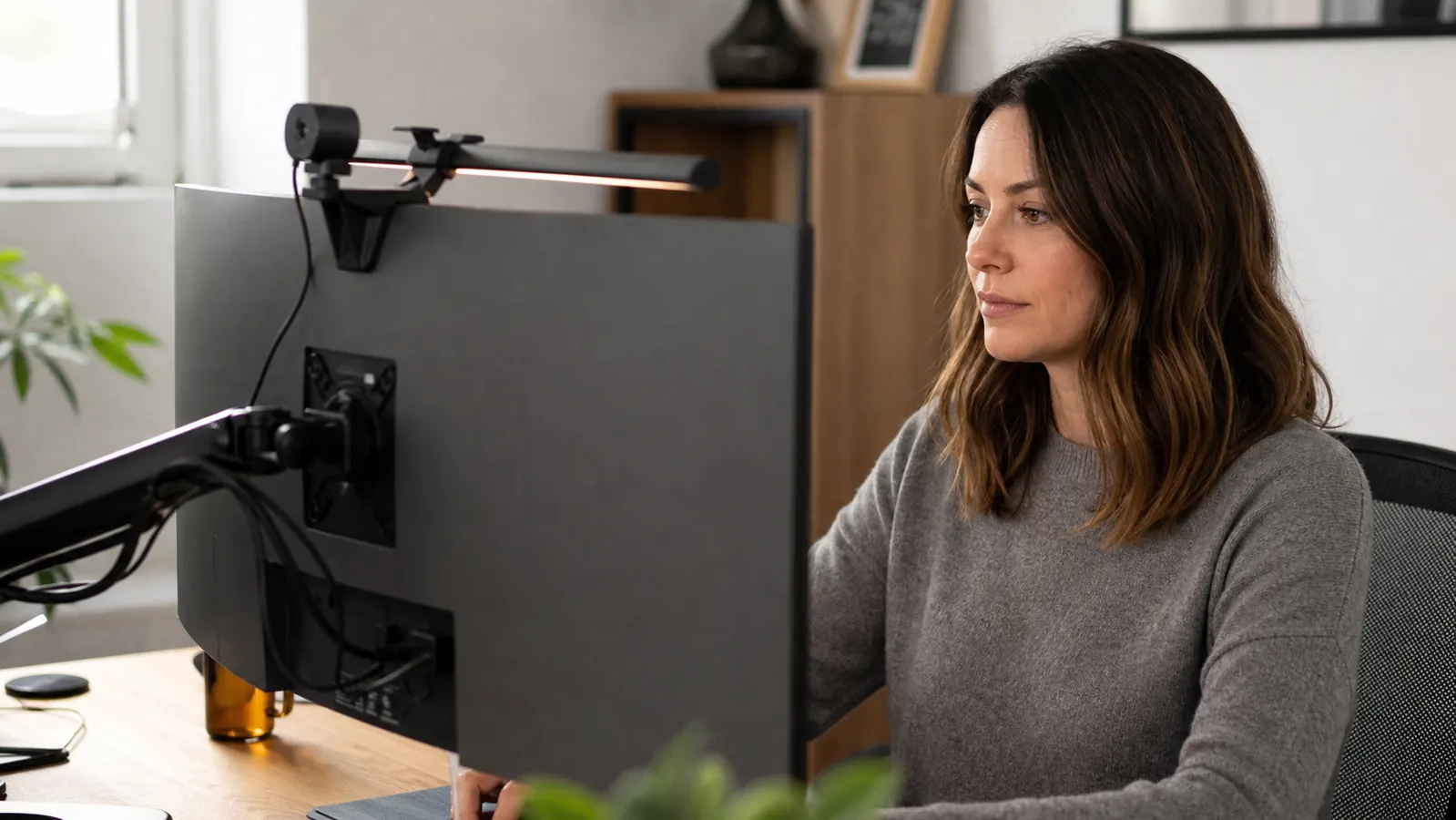
VIVO lists the weight capacity at 22 pounds, and my 32-inch curved monitor alone weighs about 14.5 pounds, so on paper I had plenty of headroom. What the spec sheet doesn't account for is everything else people clip onto a monitor once it's mounted at eye level: a webcam, a clamp-on light bar, a privacy hood, sometimes a small speaker bar. I added a light bar (about 1.2 pounds) and a clip-on webcam (roughly half a pound) over the first month, and neither is dramatic on its own, but together they pushed the effective load closer to 16 pounds, and I noticed the arm needed a slightly firmer tension setting to hold the same position it had held easily at 14.5.
That's still well under the 22-pound ceiling, so the arm handled it fine, but it's worth doing the math before you buy if you're planning to run a monitor that's already close to the rated weight on its own. A 20-pound monitor with a light bar and a webcam on top is a very different load than the same monitor by itself, and the difference isn't hypothetical, it's the actual accessories most people add to a video-call setup within the first few weeks of owning a nicer monitor arm, not some edge case.
The other thing the spec sheet doesn't mention is that this is a single-arm mount rated for one screen. I get variations of the same question constantly: whether you can run two smaller monitors on this arm using a dual bracket adapter, and the honest answer is no, not within the tested weight range VIVO designed for. If you want two screens, buy VIVO's dual-arm version built for that load distribution, not this one plus an aftermarket splitter, which will strain the single gas spring in ways VIVO never tested for.
The Drift I Didn't Expect, and When It Happens
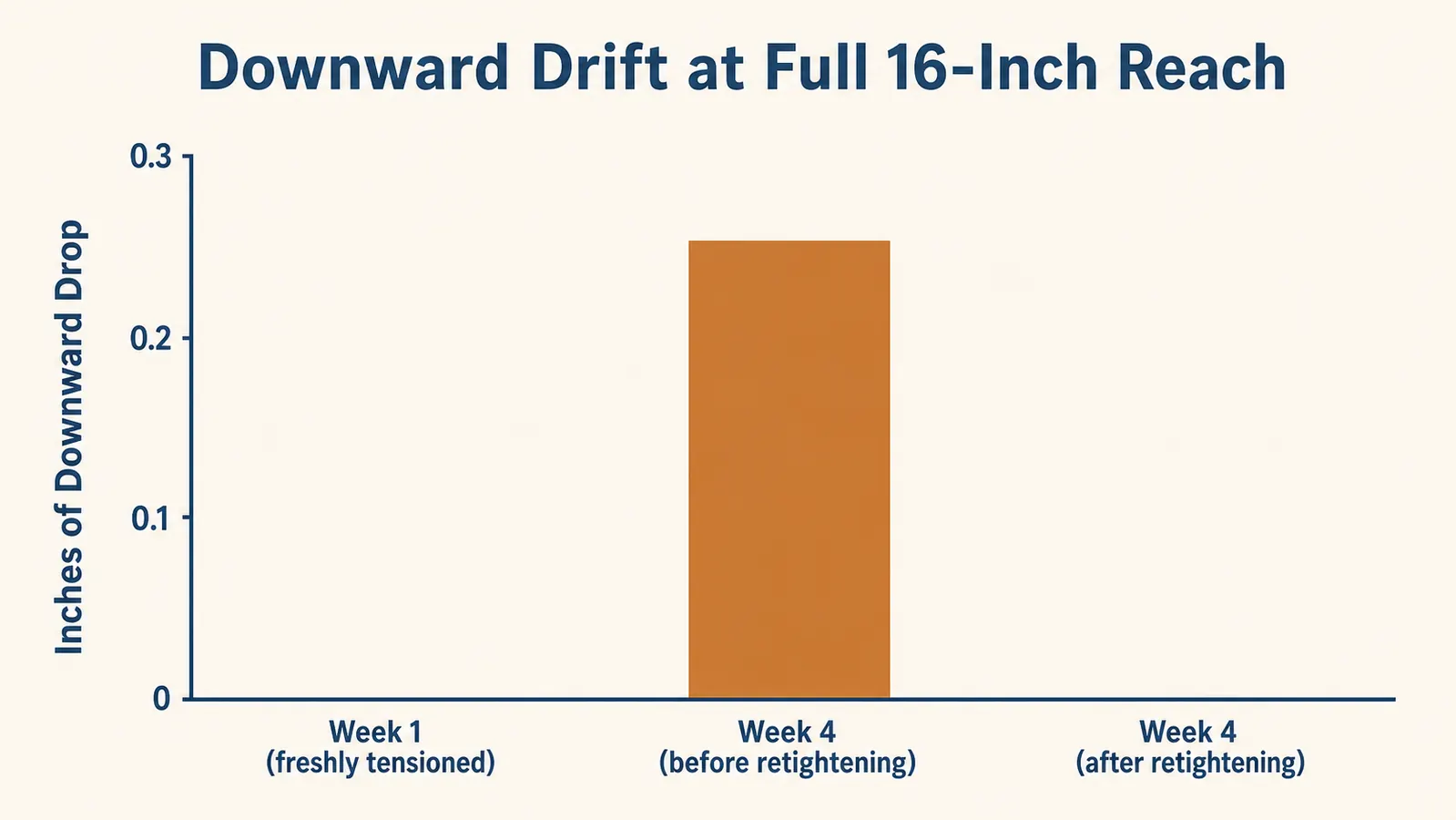
This is the part that would have bothered me most if I hadn't figured out why it was happening. Around week three, I noticed the screen had crept downward maybe a quarter inch when I had the arm pulled out to its full 16-inch horizontal reach, the position I use when I lean in to read a spreadsheet closely. It hadn't moved at all in the neutral, closer-to-base position I use for video calls. That inconsistency was confusing until I looked into how gas-spring arms behave under leverage rather than assuming the whole unit was simply wearing out.
At full extension, the arm is working against more leverage than it is near the base, so any tension that was set slightly loose shows up there first and shows up nowhere else. The fix wasn't a full retensioning, just a quarter turn on the tension screw, and the drift stopped completely. What I wish someone had told me is that a brand-new arm often needs a small tension touch-up after two to four weeks of real use, once the spring and the mounting hardware have settled in, separate from whatever tension you set on day one when everything is still stiff and new.
I've checked it monthly since then by pulling the arm to full reach and watching for movement over a few minutes, and it's held steady since that one adjustment in week three. If you buy this arm, don't assume day-one tensioning is the only tensioning you'll ever do. Plan on one follow-up check after the first month, especially if you regularly use the arm's full reach rather than keeping it close to the base most of the day.
What the Listing Photos Don't Show You
The included hex key handles the arm's own adjustment screws, but it's not the tool you'll need for your monitor's VESA screws if your monitor has recessed mounting holes, which mine did. I ended up digging out a longer Phillips screwdriver from a toolbox because the standard one couldn't reach past the recessed lip on the back of my monitor. It's a five-minute annoyance, not a flaw in the arm, but it's exactly the kind of detail that's invisible in a product photo of a flat-backed display shot straight on.
The plastic cable clips are also smaller than they look in the listing images. They hold one, maybe two cables comfortably. I'm running a power cord, an HDMI cable, and a USB cable for the webcam, and the third cable pops out of the clip if I don't tuck it in carefully after moving the arm. It's a minor cosmetic issue, not a functional one, but if you're picturing the fully enclosed cable channel some of the product renders suggest, this isn't that. It's open clips, which is fine, just not what the marketing photos implied when I first looked at them.
The Return I Almost Made, and What Changed My Mind
I want to be honest about something: in week two, before I'd worked out the shim fix for the clamp, I had the return process open in another browser tab. The rocking I felt when I first pushed the monitor to the side genuinely spooked me, because a monitor arm with play in the base is exactly the kind of thing that fails suddenly rather than gradually, and I didn't want to find that out with a screen falling toward my keyboard.
What stopped me was actually diagnosing the problem instead of assuming the unit was defective. I took the clamp fully off, looked at where the rubber pad was and wasn't contacting the desk, and realized it was a fit issue with my specific desk edge, not a manufacturing defect. That's an important distinction, because a genuinely bad unit, one with a cracked base or a stripped clamp thread out of the box, is a real return. A contact issue caused by an unusual desk edge is a five-minute fix most people never think to try before boxing something back up.
If you find yourself in that same spot, rocking base, slight play, before you request a return, take the clamp off and actually look at the contact between the rubber pad and your desk edge with a flashlight. If it's not flush across the whole pad, that's a fit problem you can usually solve with a shim or the grommet mount, not a reason to send the arm back. I'm glad I checked before I shipped mine back, because four months later it's been the one thing on my desk I haven't had to think about since.
What I Liked
- Handles a 32-inch, 14.5-pound monitor comfortably within its 22-pound rating
- Grommet-mount option solves clamp-contact issues on desks with uneven or beveled edges
- One tension touch-up in week three fully resolved drift at full extension, and it hasn't returned
- Standard VESA mounting plate worked without an adapter
- Genuinely wide range of motion, from flush against the wall to a full 16-inch reach
Where It Falls Short
- Clamp needs full, flat contact with the desk edge or it can develop slight play over time
- 22-pound rating doesn't account for accessories like light bars and webcams stacking onto the monitor's own weight
- New arms often need a follow-up tension adjustment after the first few weeks, which nothing in the box mentions
- Cable clips only comfortably hold one or two cords, not three
- Included hex key won't reach recessed VESA screws on some monitors, you may need your own screwdriver
The arm works exactly as advertised. What's missing is everything about your specific desk, your specific monitor, and your specific accessories that determines whether it works well on day one or after a two-dollar shim and a week-three tension check.
Who This Is For
This arm is a good fit if you're willing to measure your desk edge before ordering and do a quick tension check a few weeks in, rather than expecting a completely hands-off install. It handles a single monitor up to the mid-20-pound range well, including modest accessories like a light bar or webcam, as long as you're not maxing out the weight rating with the monitor alone first. If your desk has a clean, flat edge with normal thickness, you likely won't hit any of the issues above at all, and this becomes a genuinely simple, one-time install.
Who Should Skip It
If your desk has a beveled edge, a very thin panel, glass, or a hollow-core seam near your mounting spot, plan on using the grommet mount from the start rather than the clamp, or look at a freestanding stand instead. If you're already running a monitor near the top of the weight rating and want to add multiple accessories on top of it, size up to VIVO's heavier-duty arm rather than pushing this one to its limit. And if you want a fully enclosed cable channel with zero visible cord, this isn't that arm, look at a pricier model built specifically for that.
The reviews that only say "easy setup" are leaving out the part that actually matters
Measure your desk edge, plan for one tension check around week three, and this arm holds up exactly like it should. See today's price on the VIVO monitor arm before you order.
Amazon Check Today's Price on Amazon →