
My desk sits twelve feet from a hallway my two kids treat as a racetrack, and for the first eighteen months of working from home, that was the whole problem. I would close my office door, put in a pair of cheap $20 earbuds, and still catch every scream, every dog bark next door, every leaf blower the neighbor ran at 9am on a Tuesday. If you are trying to figure out how to block out noise while working from home, you already know the drill. You mute yourself mid-sentence, you apologize on calls, you start dreading the 10am standup because you know it is going to be loud, and you start wondering if the problem is your house, your gear, or just the deal you make when you work where you live. What finally worked was a pair of Soundcore Q30 noise cancelling headphones plus a few changes to the room itself.
I run Best Home Office Setup Hub because I spent a few years and a few hundred dollars testing gear that claims to fix exactly this, and most of it does not. Foam panels that look impressive and do almost nothing below 500Hz. Earbuds that cancel airplane rumble but let every human voice straight through. White noise machines that mask noise instead of blocking it, which helps some people and drives others up the wall. The short version of what actually worked for me: blocking out noise while working from home is not about finding a silent house, because almost nobody has one of those. It is about layering three things, room setup, headphone choice, and habit, so the noise that does get through stops derailing your focus and your calls.
The centerpiece of that setup, for me, is a pair of active noise cancelling headphones. I use the Soundcore Q30, and this is the exact process I followed to get it working, along with the room changes that made the headphones do less work and the habits that kept me from taking them off ten minutes after putting them on. None of it is complicated, but the order matters, and skipping steps is why most people give up on noise cancelling gear before it has had a fair shot at solving the actual problem.
Stop Apologizing for the Noise Behind You
Before you rearrange furniture or buy a white noise machine, get the one piece of gear that does the most work: a pair of ANC headphones built for all-day wear, not just a commute.
Amazon Check Today's Price on Amazon →Step 1: Treat the Room Before You Reach for Headphones
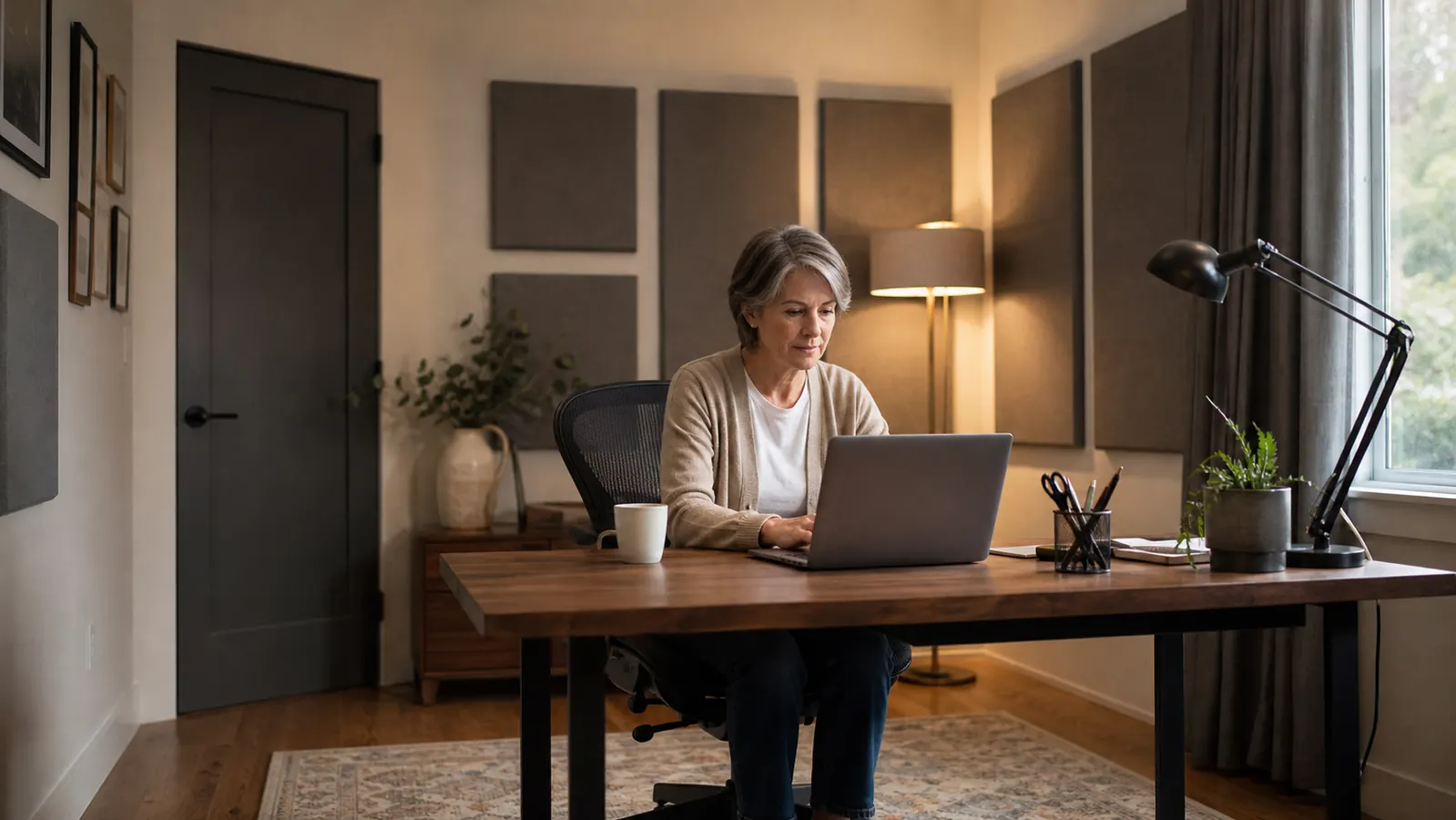
Headphones fight the noise that has already reached your ears. The cheapest fix is reducing how much noise gets into the room in the first place, and it costs nothing to start. Walk your office slowly and note every hard, flat surface, bare walls, a bare floor, an uncovered window, because those surfaces bounce sound around instead of absorbing it, which makes a room feel louder than the actual source warrants. I moved my desk from against the shared wall with my kids' playroom to the opposite wall of the same room, which alone cut what I heard through the drywall by what felt like half, and it took twenty minutes on a Saturday.
After that, I added a $60 area rug under my desk chair and a set of medium-weight curtains on the window. Neither one blocks noise the way a solid door does, but both soften the reflections that make a room feel loud even when the actual noise source is several rooms away. If you rent and cannot move furniture around a shared wall, a door sweep and a rolled towel at the base of the door handle a surprising amount of hallway noise for under $15, and a draft stopper does double duty in the winter.
One thing I would skip: pricey acoustic foam panels before you have done any of the above. I bought a set early on expecting a dramatic difference and got maybe 10 percent of the improvement the rug and desk move gave me for five times the price. Foam is good at taming echo inside a room, not at stopping noise from getting into it, and most home office noise problems are the second kind, sound coming from another room, not sound bouncing around the one you are in.
Step 2: Pick Headphones Built for All-Day Noise Cancelling, Not Just Music
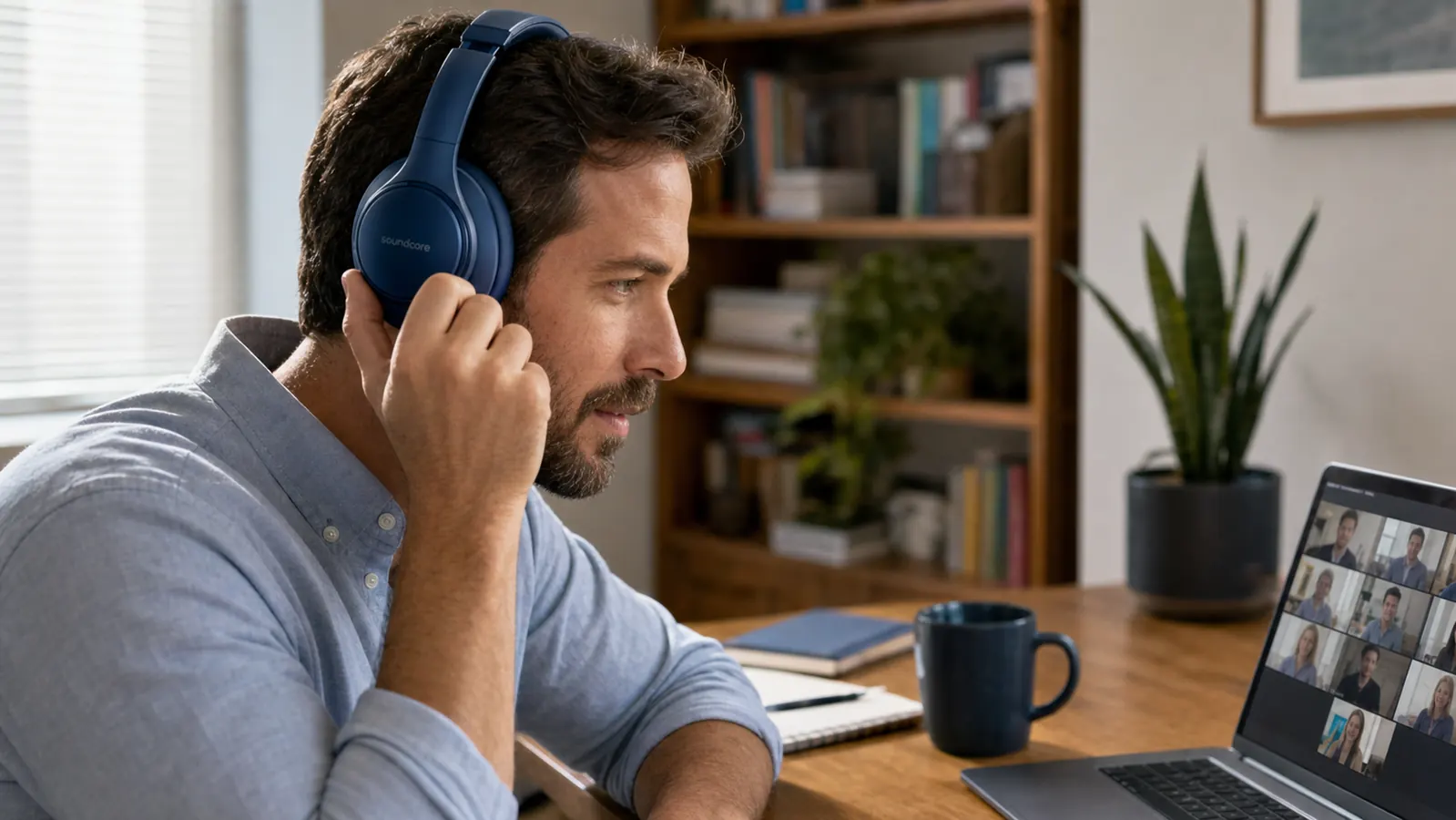
This is where most people underspend and then wonder why the noise still gets through. Earbuds marketed for the gym or for commuting are tuned for music and short wear, not for the low, constant hum of household noise stretched across an eight-hour shift. I switched to the Soundcore Q30, an over-ear pair with hybrid active noise cancellation and 40mm drivers, and the difference showed up immediately on calls where I used to get asked to repeat myself two or three times a meeting.
A few specs matter more than they sound like they should for blocking out noise while working from home. Over-ear cups seal against your head better than earbuds ever will, which matters most for low-frequency noise like HVAC hum or a dishwasher running two rooms away, the kind of noise earbuds barely touch. Rated battery life on the Q30 is around 60 hours with ANC on, which means I charge it maybe every two weeks instead of hunting for a cable at 8:45am with a meeting starting in ten minutes. At 4.4 stars across roughly 96,500 ratings, it is not a boutique pick, it is the budget-friendly option that shows up in enough home offices that the reviews cover exactly the noise complaints you are trying to solve, from barking dogs to roommates with loud phone calls.
Weight and clamping force matter too, and this is the part nobody mentions in spec sheets. I wear mine six to seven hours most days, and a pair that feels fine for a 45-minute flight can start pinching by hour three at a desk. The Q30's ear cups are soft enough that I forget I have them on, which is honestly the bigger win over most of the cheaper options I tried first. Built-in mics also matter here, since a headset that blocks noise for you but sounds terrible on the other end just moves the noise problem onto your teammates.
Step 3: Dial In the ANC Mode for Your Actual Noise, Not the Default
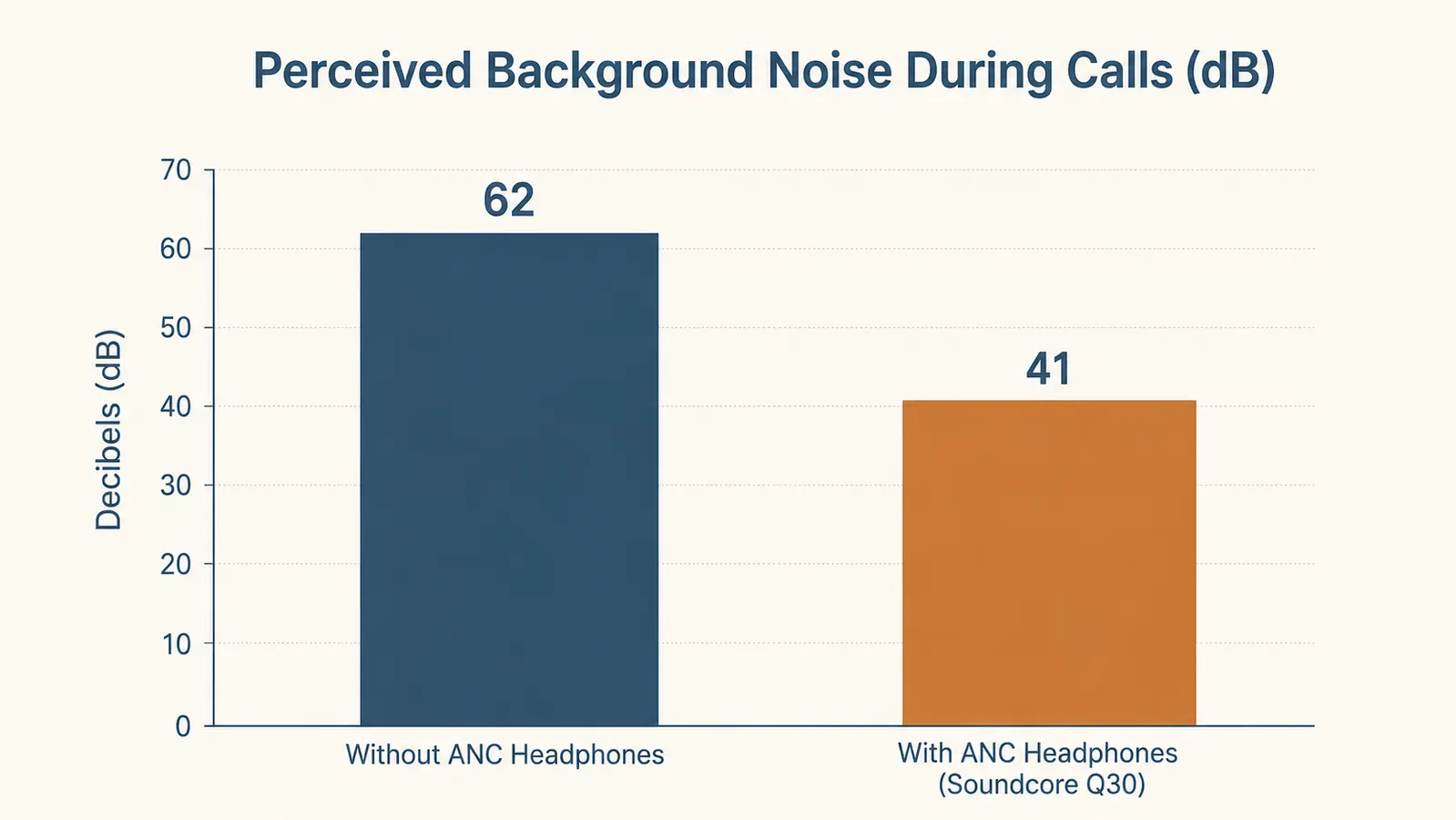
Out of the box, most ANC headphones ship in a general noise cancelling mode tuned for airplane engines and subway rumble, not for a toddler yelling down the hall or a neighbor running a table saw. The Soundcore app lets you switch between transport, outdoor, and indoor ANC modes, and indoor is the one that made the real difference for me because it targets the mid-range frequencies that voices and household appliances actually live in, rather than the steady low rumble that transport mode is built for.
It took me about a week of testing different modes during real calls to land on indoor ANC plus a custom EQ that dips the low end slightly, since a bass-heavy setting was making my own voice sound muddy to people on the other end of my calls, according to two coworkers who told me straight out. Spend fifteen minutes in the app during a normal noisy afternoon rather than guessing at settings, since the setting that works well on a plane is not the one that works well in a home office with three humans and a dog in it.
Step 4: Use Transparency Mode Instead of Taking the Headphones Off
The habit that broke my noise-blocking setup for months was pulling the headphones off every time someone knocked on the door or the dog barked at the mail carrier, then forgetting to put them back on for twenty minutes while I dealt with whatever it was. Transparency or ambient sound mode fixes this specific problem. One tap lets outside sound in without removing the headphones, so you can answer a quick question from a kid or hear the doorbell without losing your seal or your train of thought.
On the Q30 this is a single button press on the ear cup, no app required, which matters because during a mid-call interruption you do not want to be tapping through a phone screen while a client is talking. This one habit change is honestly what got me to actually wear the headphones consistently through a full workday instead of leaving them on the desk out of frustration by 2pm, which was the pattern I fell into with my first pair.
Step 5: Build the Routine So Noise-Blocking Happens Automatically
Gear alone does not block out noise while working from home if you do not actually put it on before the noise starts. I put my headphones on at the same time every morning, right when I sit down and open my laptop, the same way I would put on shoes before leaving the house. It signals to my family that I am working before the first meeting even starts, and it means I am not scrambling to find them and pair them thirty seconds before a call while the room is already loud.
I also keep the charging cable clipped to the underside of my desk instead of in a drawer, since a headphone with a dead battery at 9am is just an expensive pair of ear muffs. Two weeks of charge on the Q30 means I usually top it off on a Sunday night without thinking about it, which is the kind of small, boring habit that actually makes a noise-blocking setup hold up long term instead of falling apart after the first good week. Consistency, not intensity, is what carries this whole approach.
What Else Helps
None of this requires a full sound studio, and I would not spend money on any of the following before you have handled the room and the headphones. A white noise machine on a shelf behind you, around $25, covers gaps for the moments your headphones are off, and it is genuinely useful for the fifteen minutes between meetings when you are stepping away from the desk. A closed-cell foam door sweep stops hallway sound from sneaking under the door for less than the price of lunch, and it is a five-minute install with no tools.
If you are in a shared apartment with genuinely loud neighbors, a couple of $20 acoustic panels on the wall you share with them will take the edge off constant noise like a TV or a bass-heavy speaker, though I would not buy these first, since they solve a smaller piece of the problem for a similar price to a full pair of decent headphones. Some people also swear by a small desktop fan for masking, since a steady low hum is easier for most brains to tune out than sudden noises like a slammed door. The order I would go in, every time, is room first, headphones second, extras only if you are still hearing things after that.
The room helps, the habits help, but the headphones are what actually let me stop apologizing on calls.
Build Your Noise-Blocking Setup Around the Headphones, Not the Extras
Start with the piece that carries the most weight. The Soundcore Q30's hybrid ANC and indoor mode are what finally let me take calls without narrating my house to whoever was on the other end.
Amazon Check Today's Price on Amazon →